Troubleshooting Paper Abrasion and Blurry Images
The print head height setting affects printing quality.
Specifying a low print head height makes images clearer and enhances printing quality but may cause paper
to rub against the print head.
On the other hand, specifying a high print head height will prevent paper from rubbing against the print head
but may reduce the printing quality.
Important
• Paper rubbing against or becoming caught on the print head may jam or result in printed documents
that are soiled.
Note
• Raise or lower print head, depending on nature of the problem.
Paper rubs against the printhead
The edges of the paper are dirty
Image edges are blurred or white banding occurs
1.
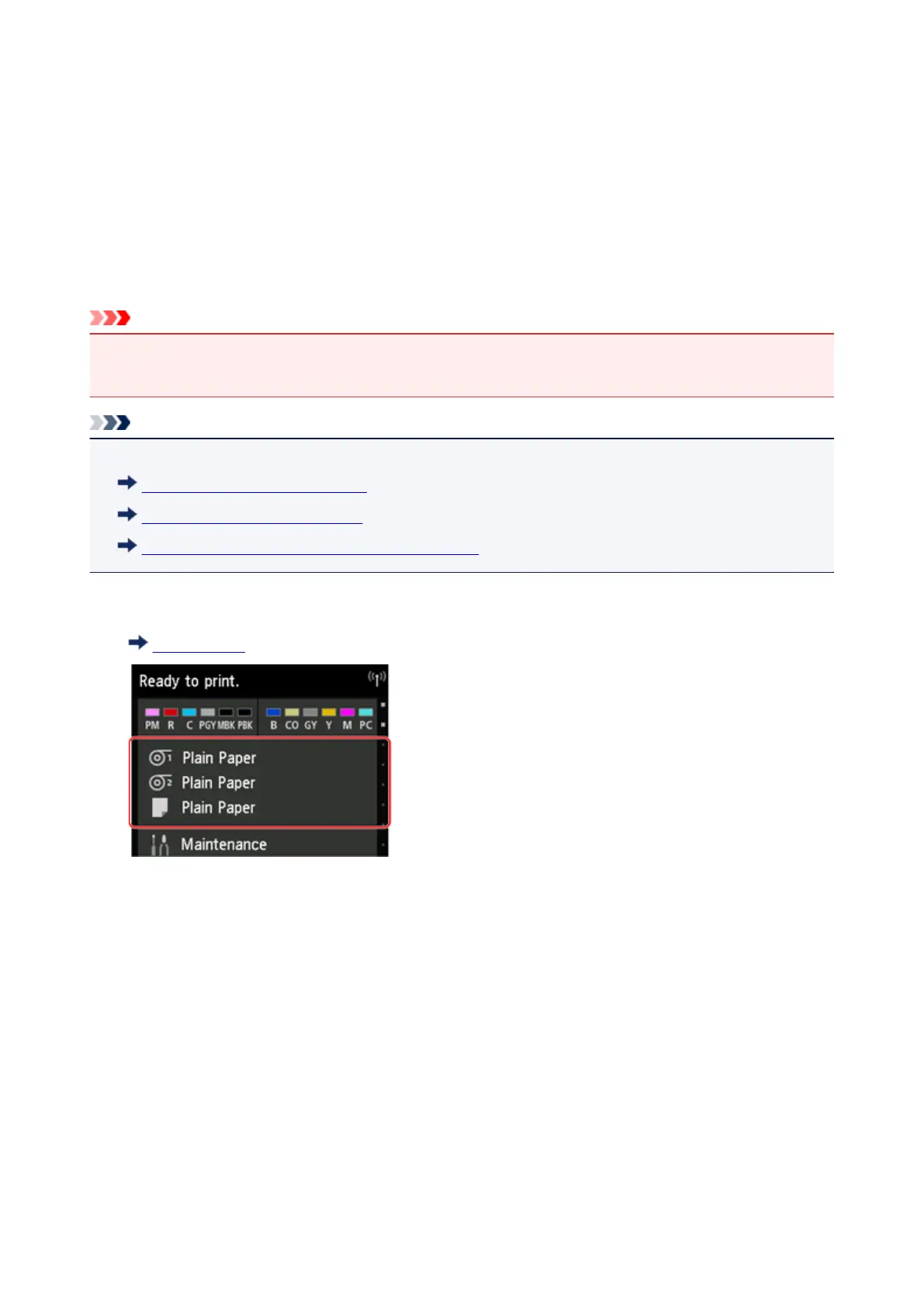
Tap paper setting display area on Home screen.
Touch Screen
The Paper settings screen appears.
2. Select paper source for setting height of print head and tap Paper settings.
The Paper settings screen appears.
3.
Tap Advanced.
The Advanced paper settings screen appears.
4. Tap Paper Thickness (Head Height).
5. Select and tap setting value.
312





 To Next Page