Adjusting Tone
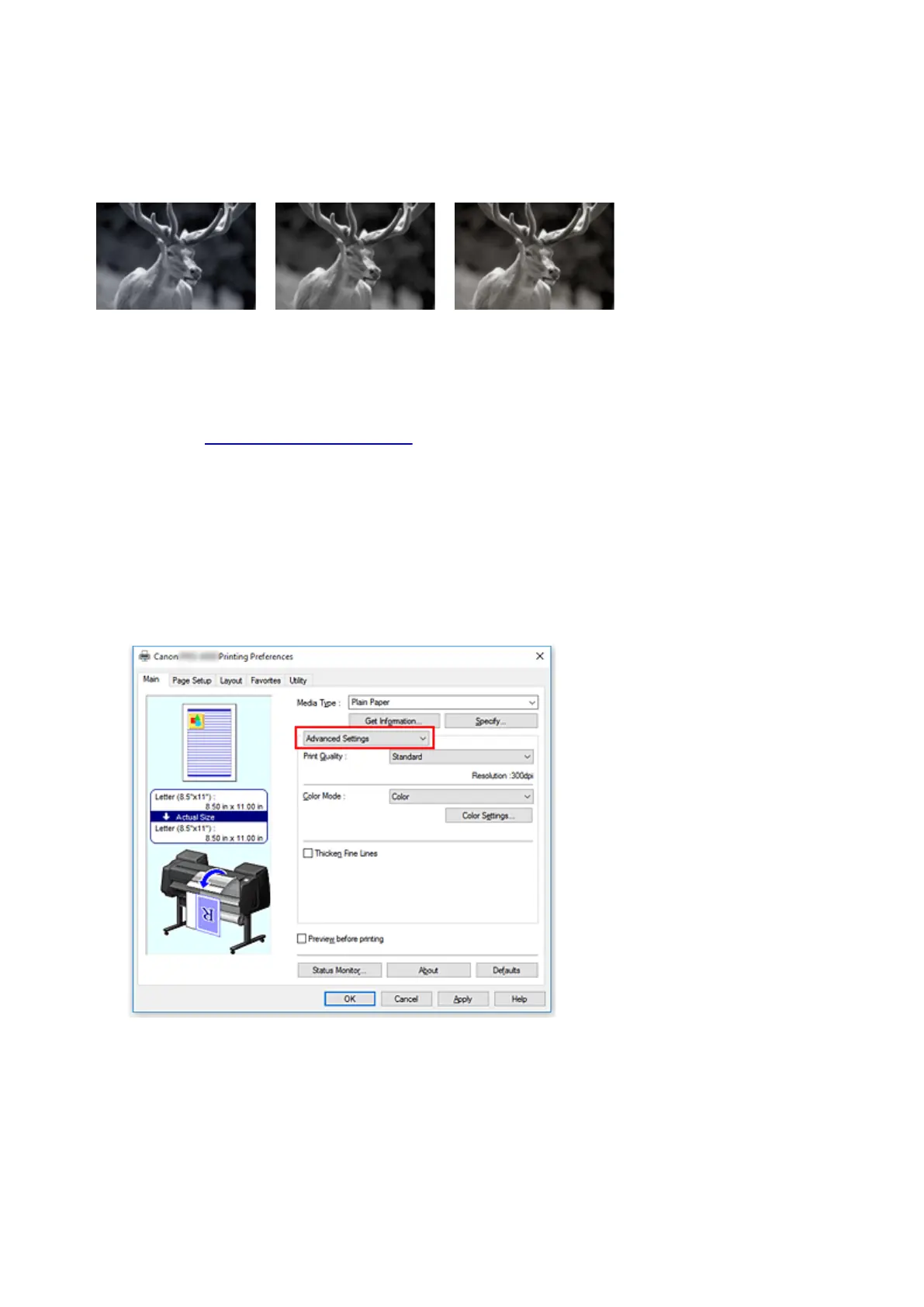
When printing black and white photos, you can produce the cooling effects of cool colors and the warming
effects of warm colors.
Cool Tone is selected Black and White is selected Warm Tone is selected
The procedure for adjusting tone is as follows:
1.
Open the printer driver setup window
2.
Selecting Media Type from the Main tab.
For paper for which the black and white tone can be adjusted, select the paper you want to
use from "Paper Information List" and check the information.
3.
Select Advanced Settings
From the Main tab pull-down menu, select Advanced Settings.
4. Select color mode
For Color Mode, select Color, and then click Color Settings.
The Color Settings dialog box appears.
5. Adjusting monochrome tones
496






 To Next Page