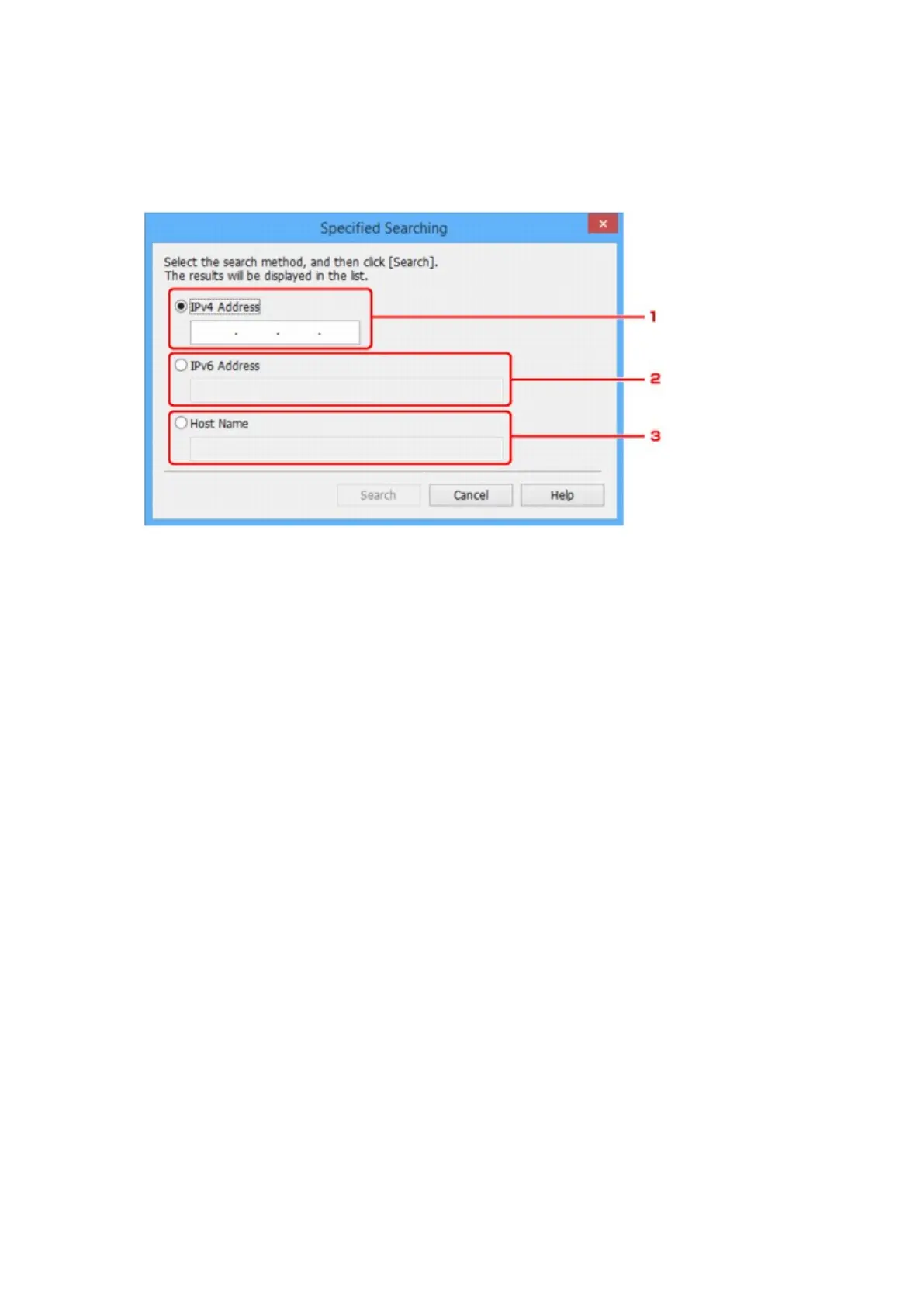
2. Select Specified Searching... on Option menu.
The Specified Searching screen appears.
3. Select item to specify and enter value.
1.
IPv4 Address
Specifies the IPv4 address of the printer you want to search.
2.
IPv6 Address
Specifies the IPv6 address of the printer you want to search.
3. Host Name
Specifies the host name of the printer you want to search.
4.
Click Search.
IJ Network Device Setup Utility starts searching by the specified criteria and detected printers are
listed.
271






 To Next Page