Note
•
Dispose of the used ink tank in accordance with local regulations.
Removing ink tank (23.7 fl oz (700 ml))
1.
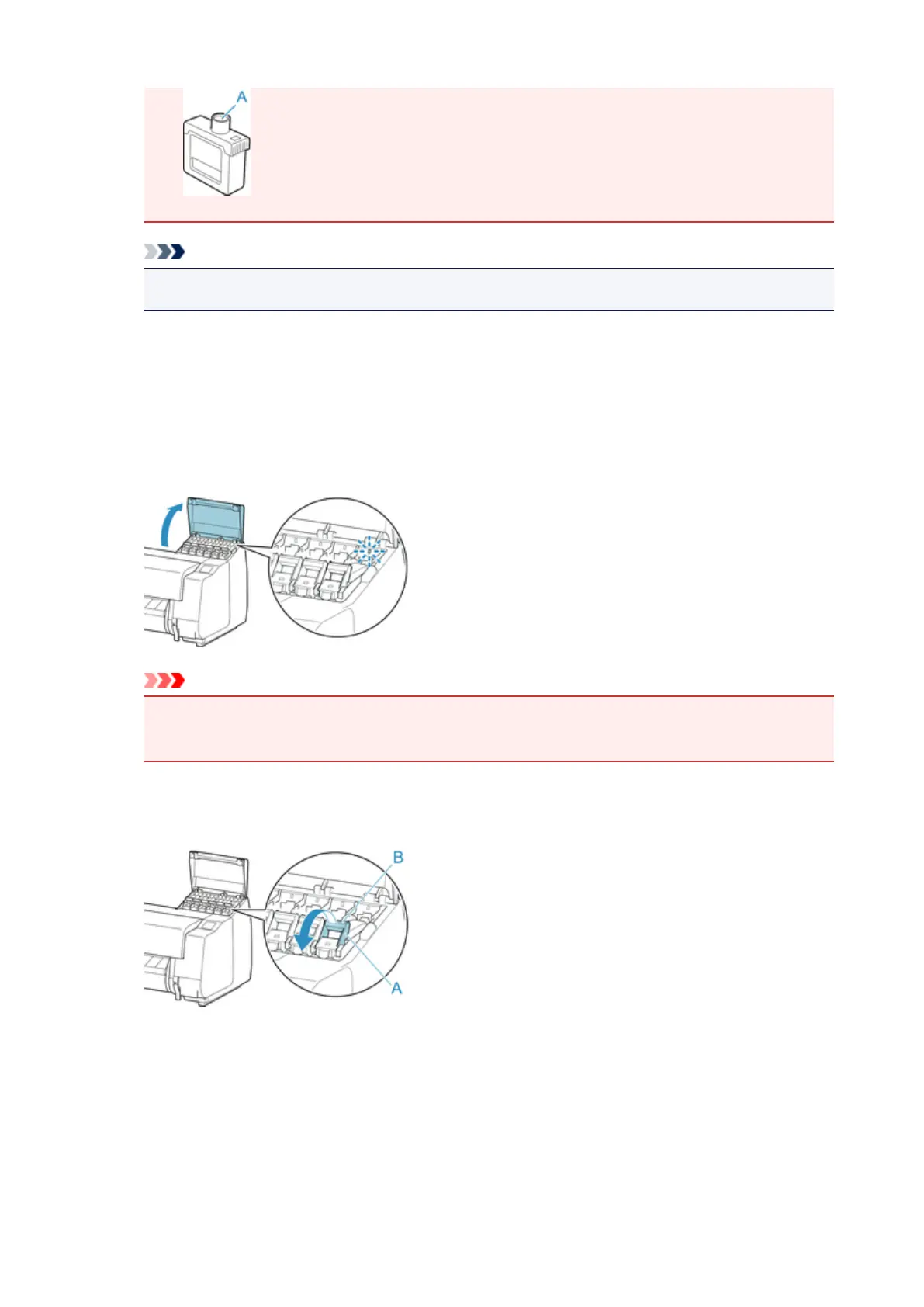
Open the ink tank cover of the ink tank you are replacing and check the ink lamp.
The ink lamp flashes if there is no ink left.
Important
• Avoid jarring the printer a lot when replacing an ink tank. Handle the printer gently when
replacing tanks.
2.
Pull forward handle part (A) of ink tank lock lever of color to replace while pressing button
at B.
3. Lift ink tank lock lever until it stops, and then push it down toward front.
343











 To Next Page