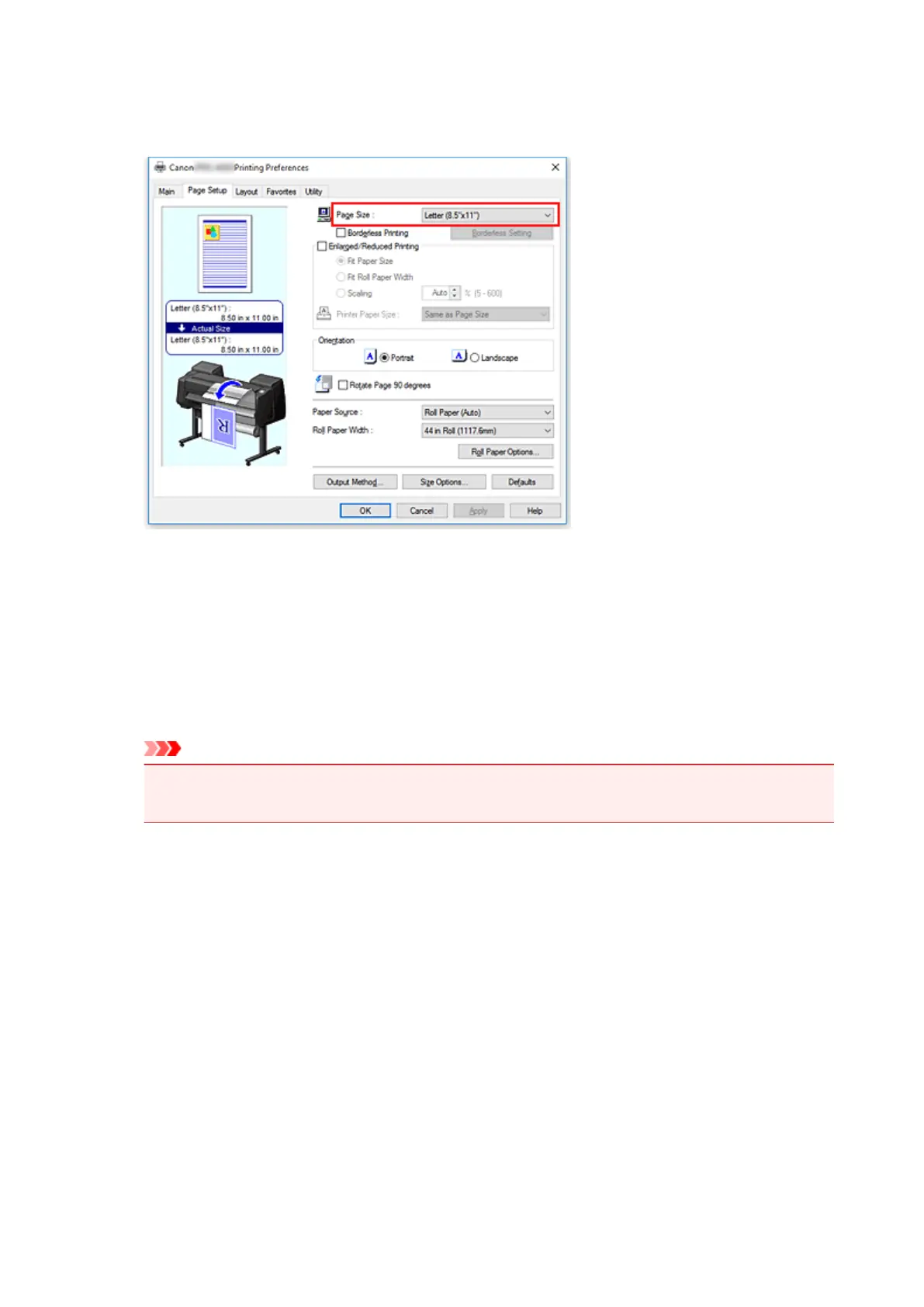
3. Select the paper size
Select the size of the paper you want to print from Page Size on the Page Setup tab.
4.
Set magnification as necessary
Where necessary, attach a checkmark next to Enlarged/Reduced Printing, and set according to the
objective.
5.
Select the paper source
For Paper Source, select the setting that matches your purpose.
Important
• The paper feed method will differ according to the paper or lower level (roll paper 2) settings, or
roll unit option settings.
6.
Select roll paper width
If you selected a roll paper for Paper Source, set Roll Paper Width to the width of the roll paper
loaded in the printer.
7.
Print document in the center of paper
Select the Print Centered check box on the Layout tab.
554





 To Next Page