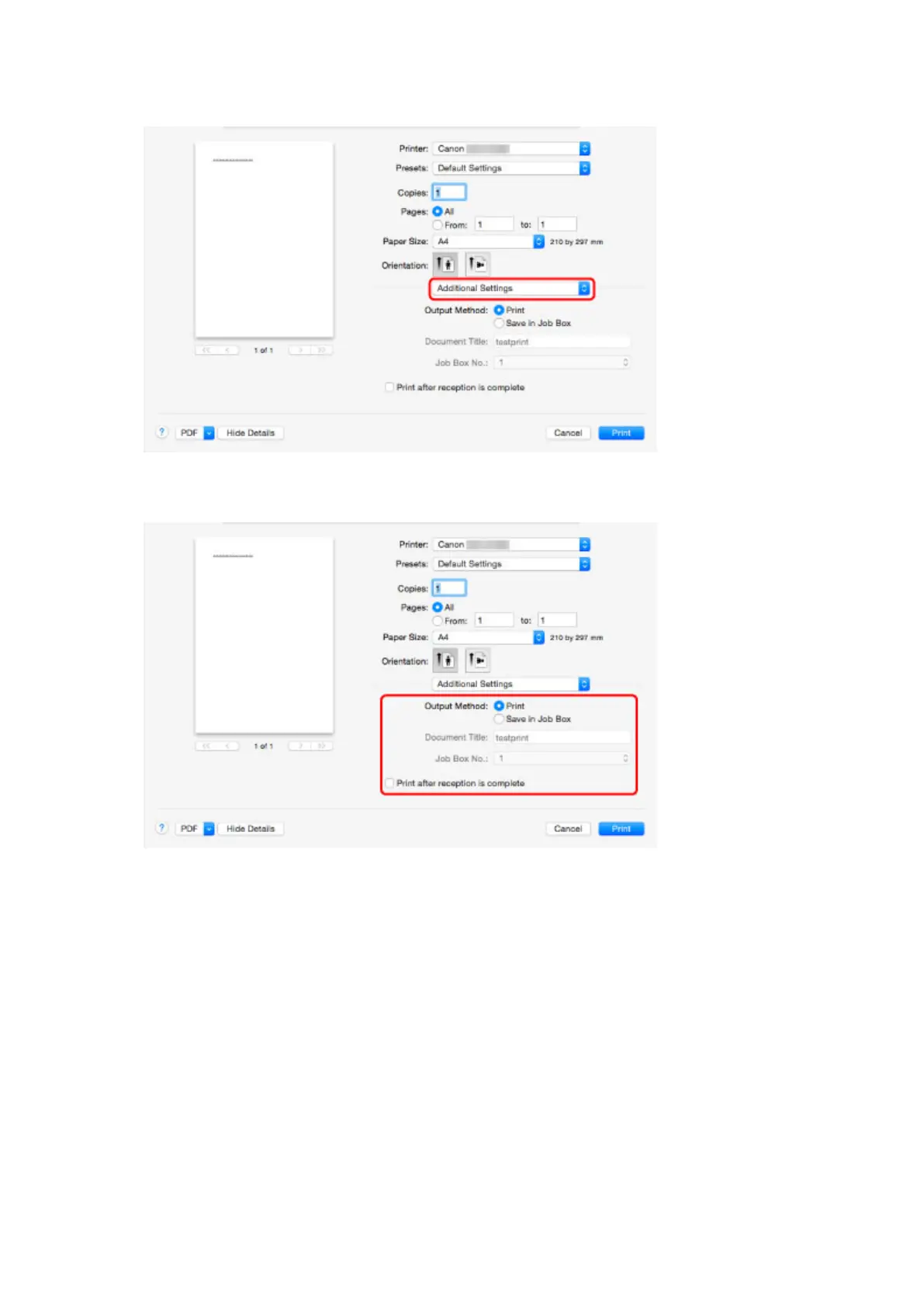
2. Select Additional Settings in pop-up menu.
3.
Make your selection in Output Method.
Print
Perform printing while saving the print job on the temporary storage area of the printer's hard disk.
Save in Job Box
Save print jobs on the permanent storage area of the printer's hard disk. Selecting this does not
start printing.
If you select Save in Job Box, select the personal box number from Job Box No..
Print after reception is complete
This option is available in combination with Print. You can prevent degradation of print quality that
occurs when receiving a print job is interrupted and printing is aborted in the middle.
651






 To Next Page