Chapter 3
3-3
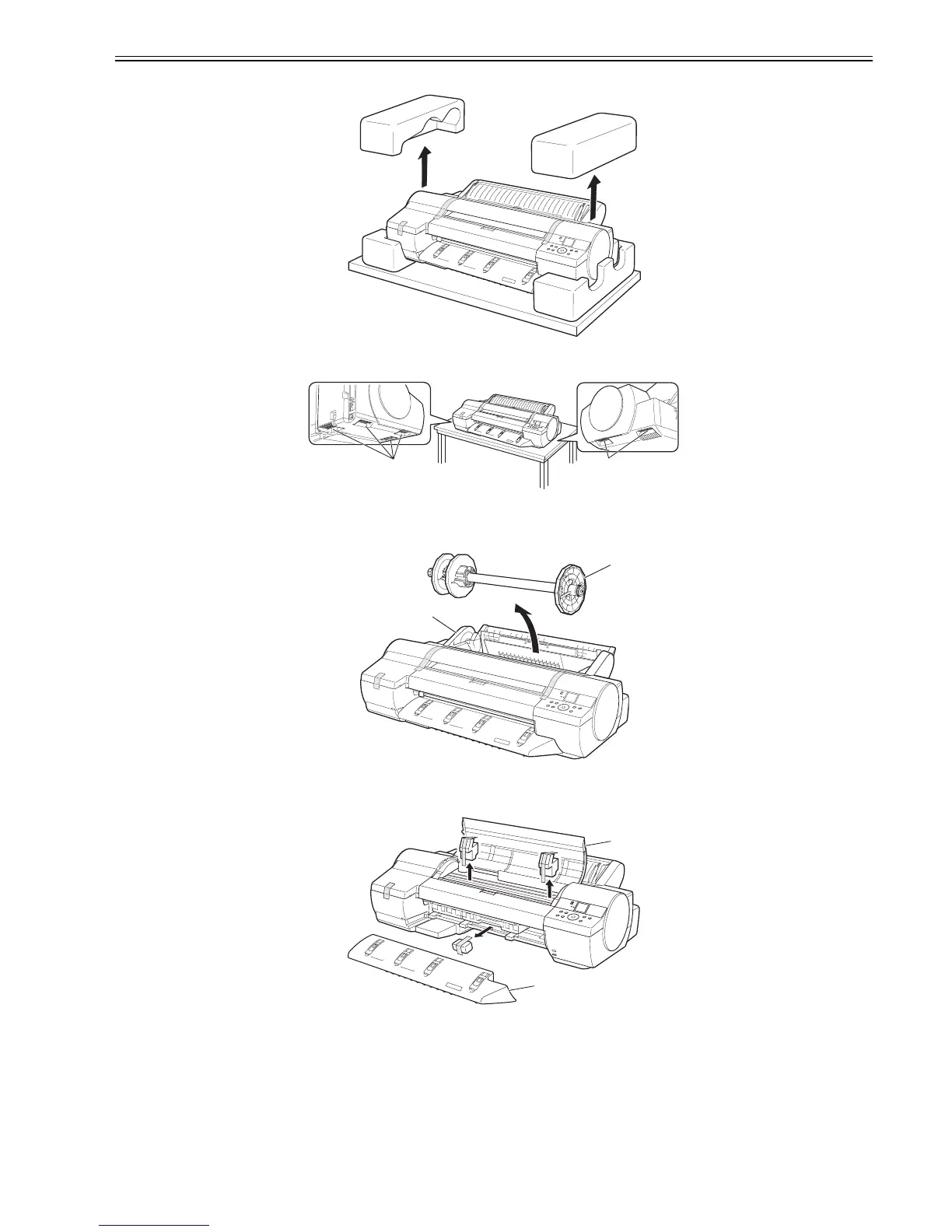
(2) Unpack the printer and remove the packaging material.
F-3-5
(3) Grasaping the carrying handles [1] on the left and right side of the bottom, place the printer on a level place such as a table.
F-3-6
(4) The Roll Feed Unit [1] is preinstalled on the printer. Peel away the tape and remove the Roll Holder [2] and protective material from the Roll Feed Unit. Also
remove the tape on the two Holder Stoppers attached to the Roll Holder, and then remove the Holder Stoppers from the Roll Holder.
F-3-7
(5) Remove the tape and other packaging material used to secure the printer and accessories. Remove the tape and protective material on the Top Cover [1] and
Ejection Guide [2]. After removing the tape and protective material on the Ejection Guide, reinstall it.
F-3-8
[1]
[1]
[1]
[2]
[2]
[1]














 To Next Page