Chapter 3
3-4
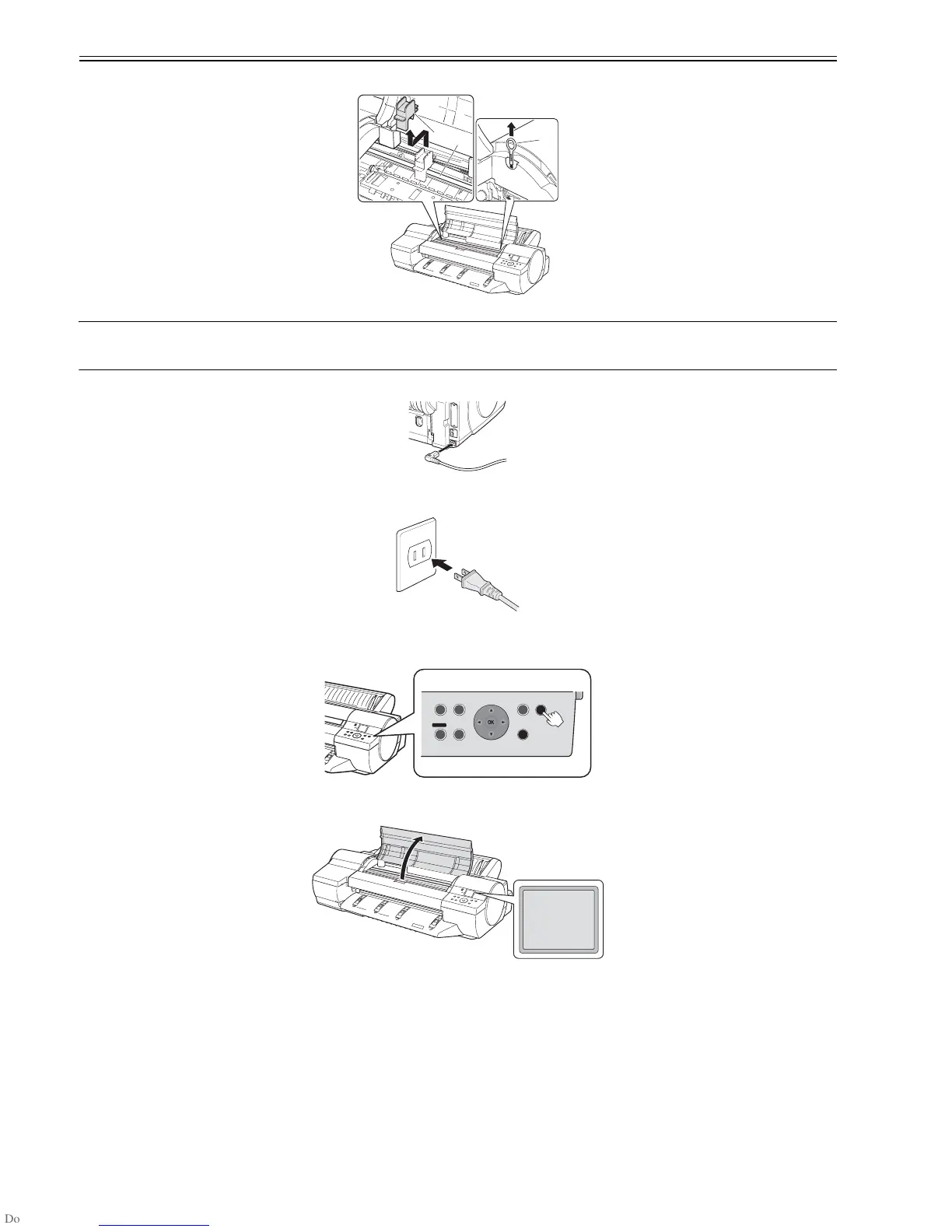
(6) Lift the Belt Stopper [2] of the Carriage Shaft [1] and pull it forward to remove it.
F-3-9
MEMO:
- You will need the Belt Stopper if you move the printer to another location. Do not discard the Belt Stopper you have removed.
- When you open the Top Cover, you will find a Cleaning Brush [3] on the right side. Use this brush to clean inside the Top Cover.
(7) Plug the power cord into the Power Socket on the back of the printer.
F-3-10
(8) Plug the power cord into the outlet.
F-3-11
(9) Set the printhead.
Press the Power botton to power on the printer.
F-3-12
(10) When Open Top Cover is displayed on the Display Screen, open the Top Cover.
F-3-13
[1]
[2]
[3]
OK














 To Next Page