Chapter 1
1-40
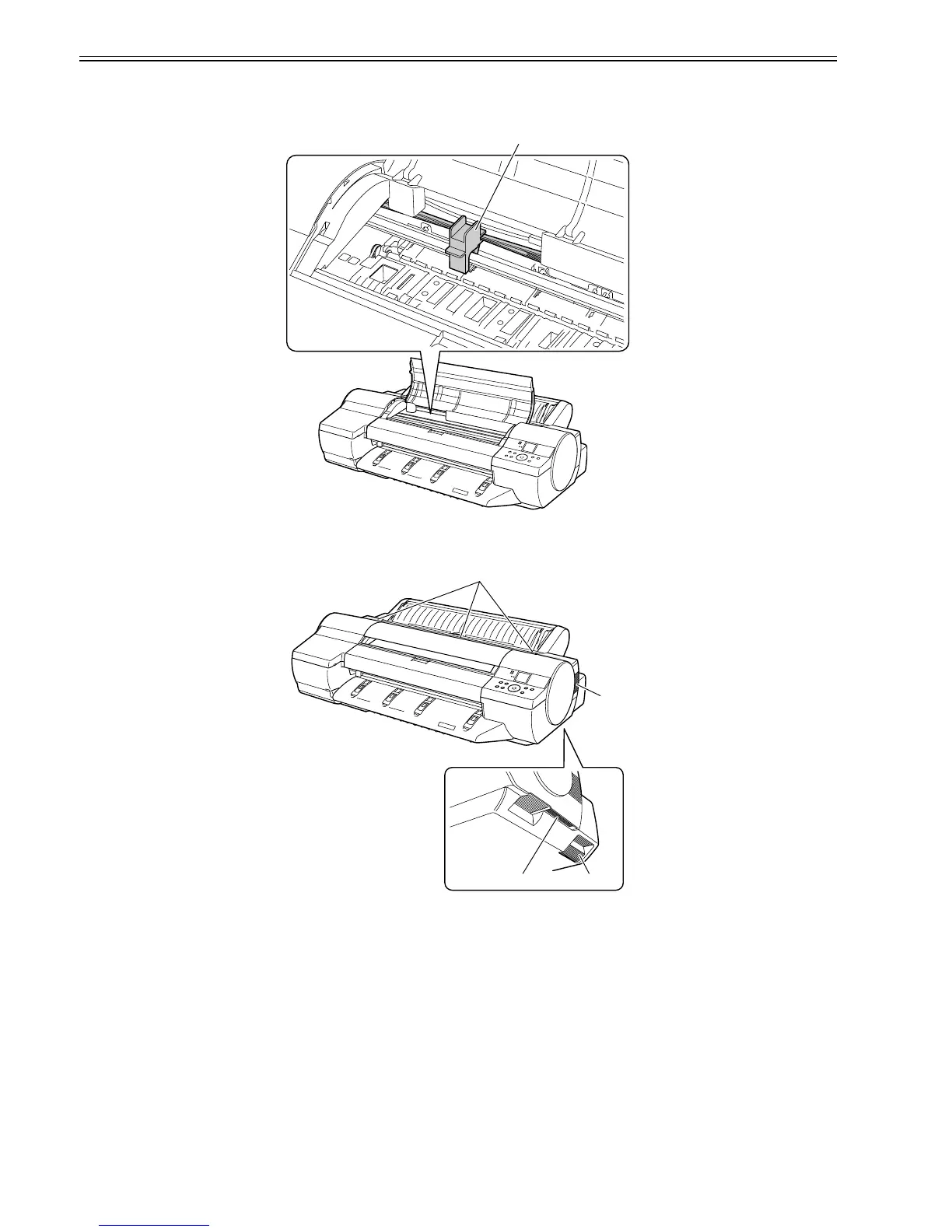
2. Fixing the Carriage
After completion of printing, the carriage is mechanically locked by the lock arm in the purge unit at the same moment the printhead is capped.
Before transporting the printer, secure the carriage at its home position using belt stoppers[1] so that the carriage does not become separated from the lock arm and
damage or ink does not leak.
F-1-32
3. Vent holes
This printer has four vent holes, [1] to [4]. Do not block the vent holes when the printer is in service
F-1-33
[1]
[3]
[2]
[1]
[4]














 To Next Page