3
3
3-20
3-20
Disassembly/Assembly > Controller System > Removing the Main Drive Unit
Disassembly/Assembly > Controller System > Removing the Main Drive Unit
Removing the Main Drive Unit
Preparations
1) Remove Left Cover.(Refer to page 3-9)
2) Remove Right Cover.(Refer to page 3-9)
3) Remove Rear Cover Unit.(Refer to page 3-10)
4) Remove All-Night Power PCB.
5) Remove Main Fan Unit.(Refer to page 3-19)
5) Remove Duplex Reverse Sensor Unit.
Procedure
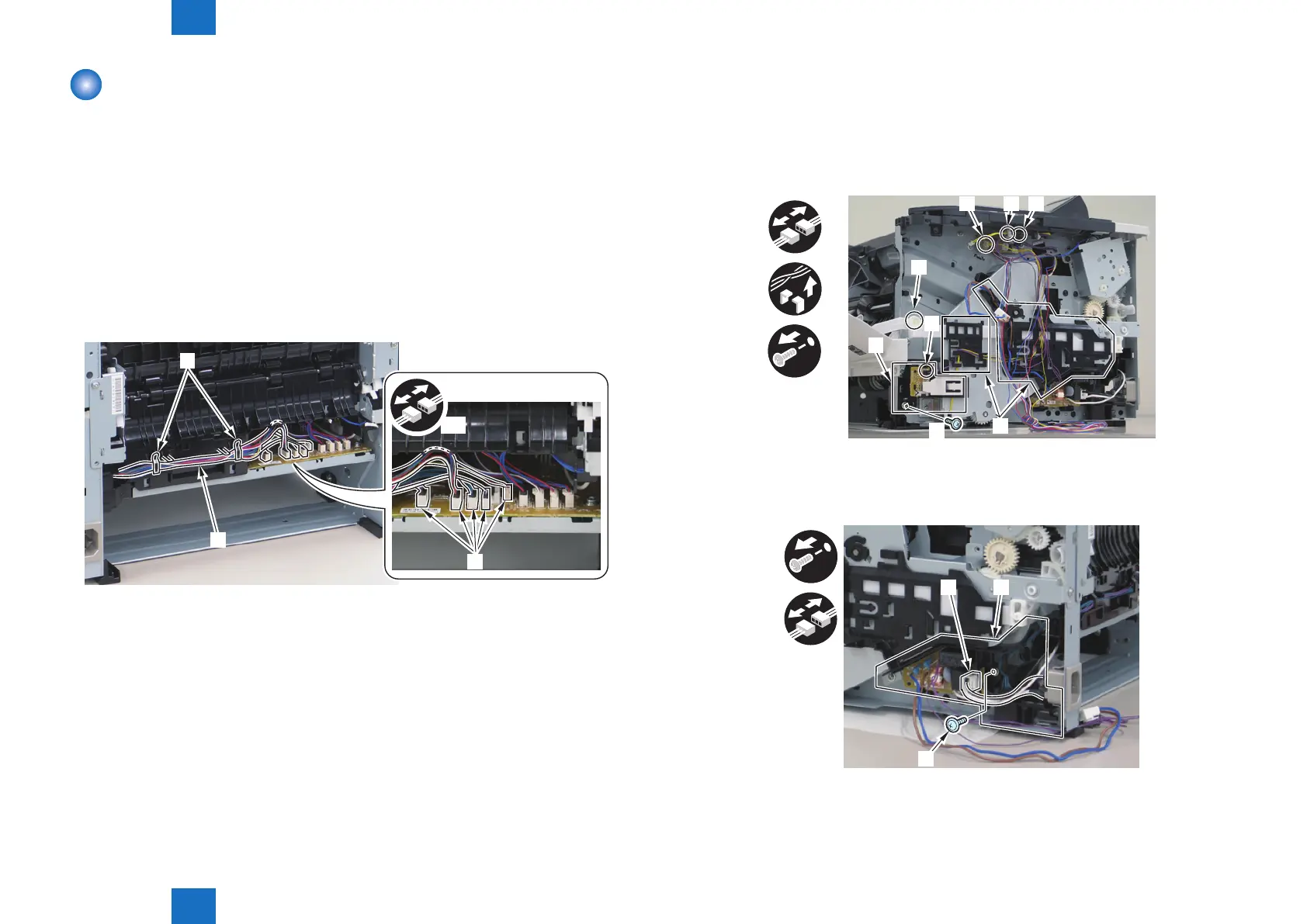
1) Remove the Harnesses [1].
• 1 harness guide [2]
• 5 Connectors [3]
[1]
[2]
[3]
x5
F-3-32
2) Remove harnesses from the guide [3].
• 3 Connectors [1]
• 1 Wire Saddle [2]
3) Remove main switch unit [4].
• 1 Screw [2]
4) Remove Link Arm [5].
x2
[1] [1][2]
[3]
[5]
[1]
[2]
[4]
5) Remove Power Supply PCB Unit [1].
• 1 Connector [2]
• 1 Screw [3]
[1]
[2]
[3]
F-3-33
F-3-34



 To Next Page
 Loading...









