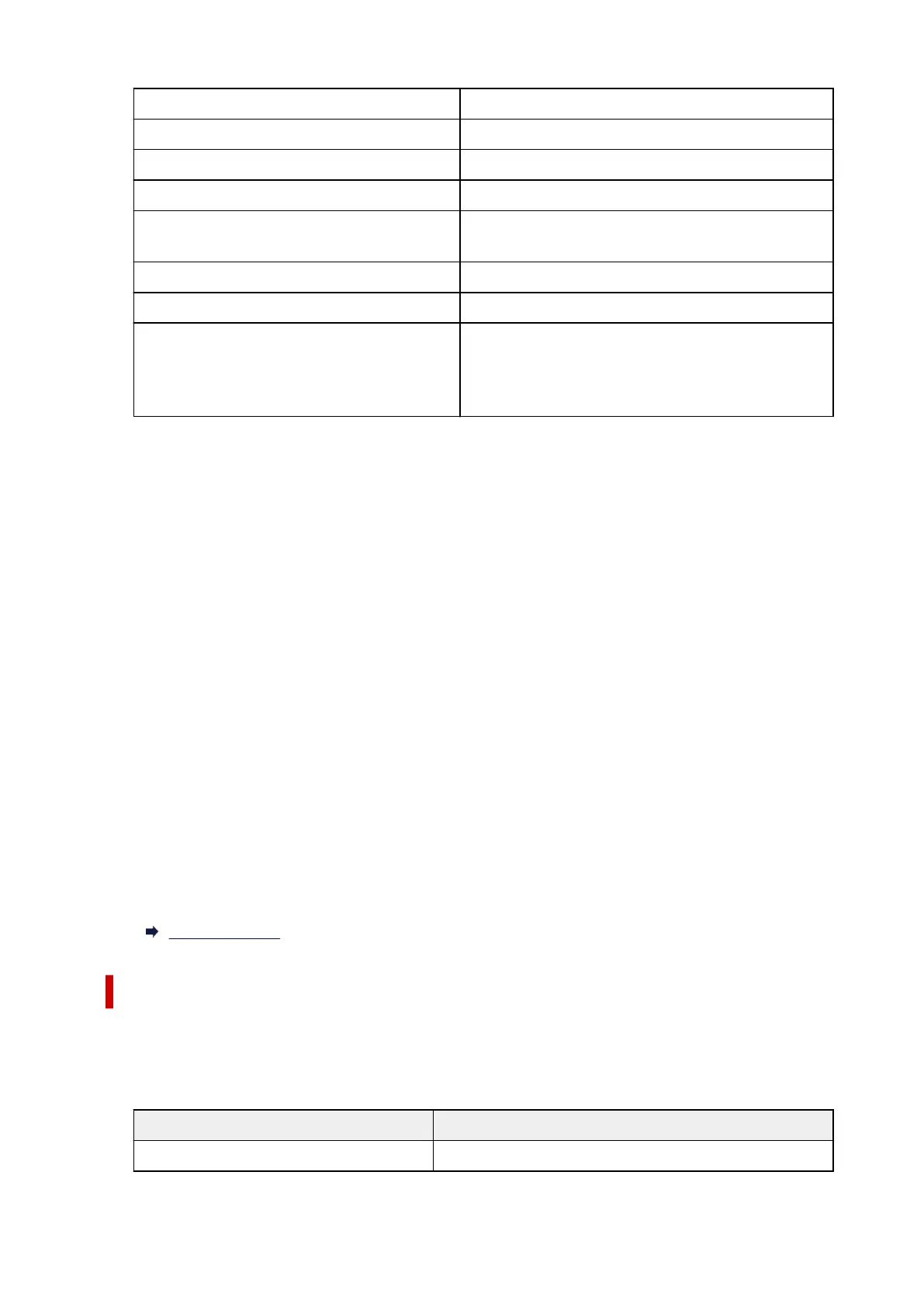
No. of printers connected now XX/XX
IPv4 address XXX. XXX. XXX. XXX (12 characters)
IPv4 subnet mask XXX. XXX. XXX. XXX (12 characters)
IPv4 default gateway XXX. XXX. XXX. XXX (12 characters)
IPv6 link-local address XXXX: XXXX: XXXX: XXXX:
XXXX: XXXX: XXXX: XXXX (32 characters)
MAC address (Wi-Fi) XXX. XXX. XXX. XXX (12 characters)
Printer name XXXXXXXXXXXXXXX (up to 15 characters)
Bonjour service name XXXXXXXXXXXXX
XXXXXXXXXXXXX
XXXXXXXXXXXXX
XXXXXXXXXXXXX (up to 52 characters)
("XX" represents alphanumeric characters.)
• Connect to smartphone
Enables to connect the smartphone to the printer by reading the QR code displayed on the touch
screen with the smartphone, or also by manually obtaining the network name and password.
• Enable/disable Wireless Direct
Enables/disables Wireless Direct.
• Change network name (SSID)
Changes the identifier (SSID/the printer's name displayed on a Wi-Fi Direct compatible device) for
Wireless Direct.
• Change password
Changes the password for Wireless Direct.
• Connection request confirmation
Selecting ON displays the confirmation screen when a Wi-Fi Direct compatible device is connecting
the printer.
• Advanced setup
For details on each setting item:
Advanced setup
Wired LAN
• Wired LAN setting list
The network settings information of the printer appears when it is connected by wired LAN.
(Some
setting items are not displayed depending on the printer settings.)
Items Setting
Connection Enabled (connected)/Enabled (disconnected)/Disable
190










 To Next Page