Note
• Click Show Details to switch the setup window to the detailed display.
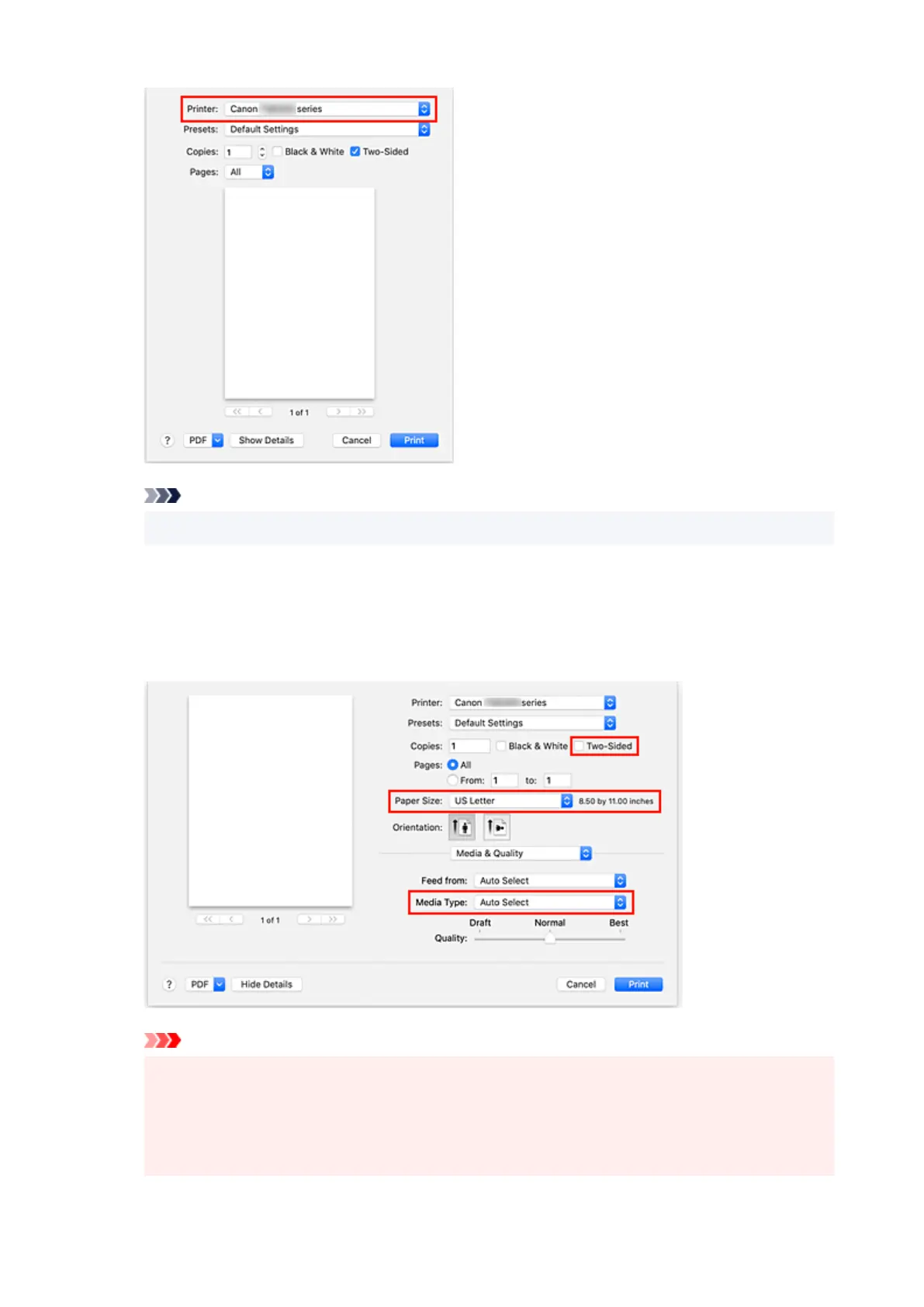
6. Check print settings
Set items such as Paper Size to the appropriate size, as well as Feed from and Media Type from
Media & Quality of the pop-up menu.
Remove the Two-Sided check mark if you are not printing on both sides of the paper.
Important
• An error may occur if the paper size set in the print dialog is different from the paper size
registered on the printer. Select the correct items on the print dialog and the printer that
correspond to the paper being printed.
• If printing in A4, A5, JIS B5, Executive, or US Letter, set the desired feed position (Main Tray,
or Rear Tray) from Feed from of the print dialog. If Auto Select is selected in Feed from, the
232










 To Next Page