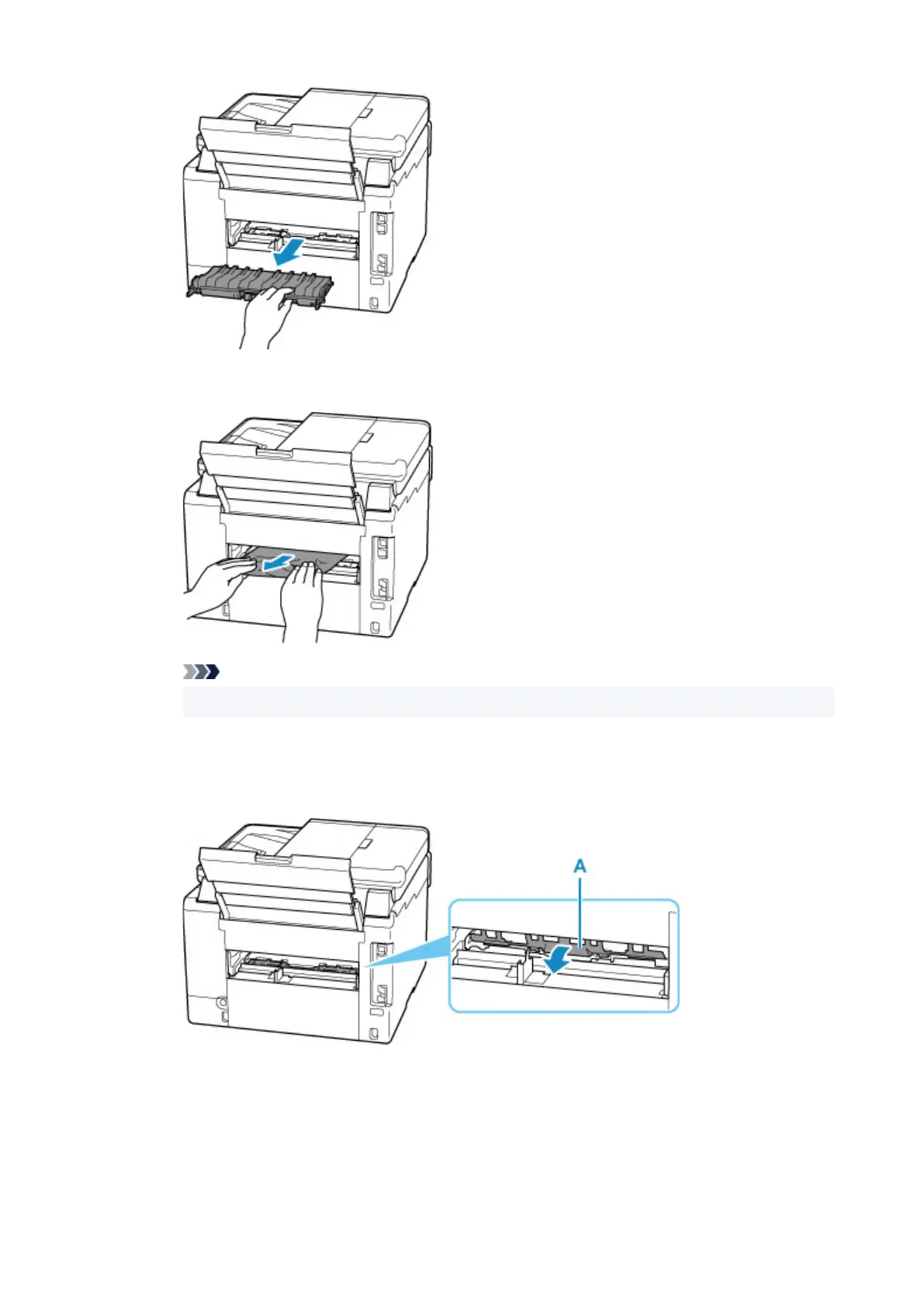
2. Slowly pull out paper.
Note
• Do not touch the inner parts of the printer.
3. Make sure all jammed paper is removed.
4. If parts (A) are raised, lower them toward you.
5. Attach transport unit cover.
Insert the transport unit cover slowly all the way into printer
and take down the transport unit cover.
370










 To Next Page