Important
• Carefully open the tank cap of the ink tank. Ink on the inside of the tank cap may spatter when
opening it.
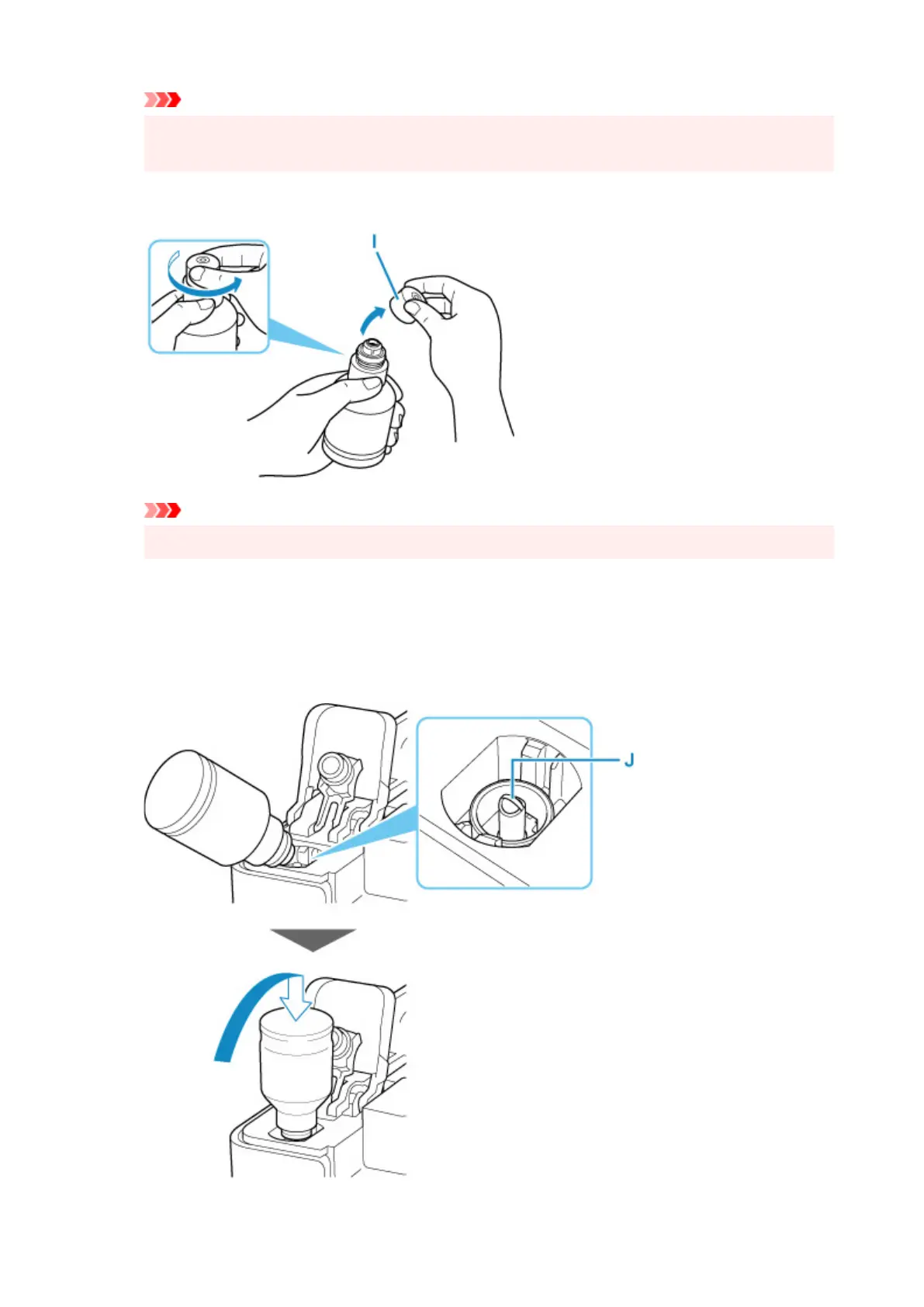
5. Hold the ink bottle upright and gently twist the bottle cap (I) to remove.
Important
• Do not shake the ink bottle. Ink may spatter when opening the cap.
6. Refill the ink tank.
Aligning the ink bottle's tip with the ink tank's
inlet (J), slowly stand the bottle upside down, and push
the bottle into the inlet.
The ink tank is refilled. Support the bottle with your hand so that it does not fall.
91










 To Next Page