60
Using the Full Range
of Features
E
Selecting the Program AE Mode
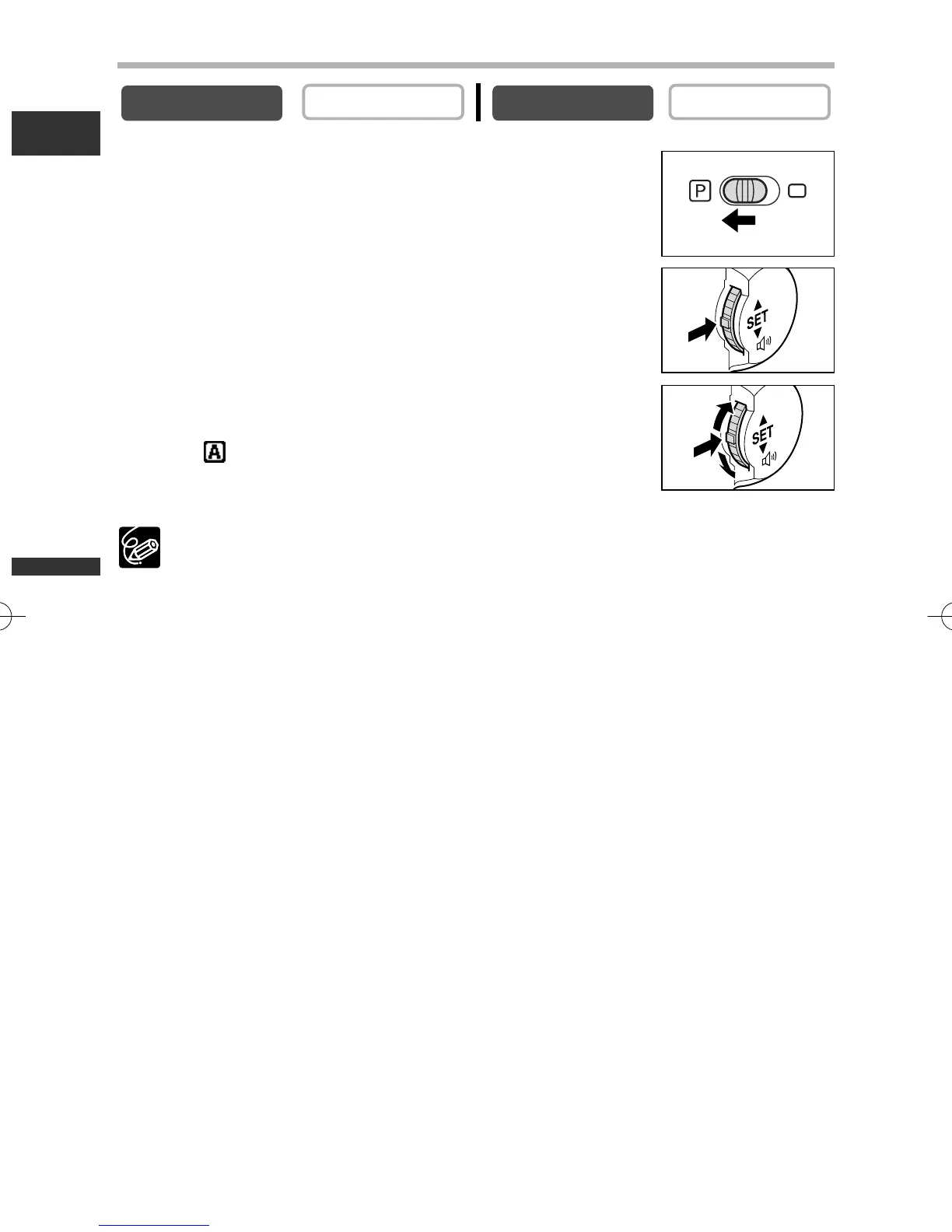
1. Set the program selector to Q.
2. Press the selector dial.
A list of the program AE modes appears.
3. Select a mode and press the selector dial.
The symbol of the mode appears on the upper left corner of the
screen. (Auto) disappears after 4 seconds.
❍ Do not change the mode during recording as the brightness of the image may
change abruptly.
❍ The setting resets to the Auto mode when you switch the program selector to
[.
❍ Bright light in a dark scene may cause a vertical light bar to appear. This is not
a malfunction.
PLAY (VCR)
CAMERA
3_D76PAL_E(41-85) 26/06/03 12:04 Page 60



 To Next Page