CHAPTER 4 IMAGE FORMATION SYSTEM
COPYRIGHT
©
1999 CANON INC. CANON NP6512/6612/7120/7130/7130F REV.0 AUG. 1999 PRINTED IN JAPAN (IMPRIME AU JAPON)
4-49
5. Points to Note When Installing the
Developing Cylinder
a. Clean the compartment in the developing
assembly used to store the toner cartridge.
b. Do not leave fingerprints or oils on the
surface of the developing cylinder. If nec-
essary, dry wipe the surface with lint-free
paper.
c. When installing the developing assembly
cover, perform the following:
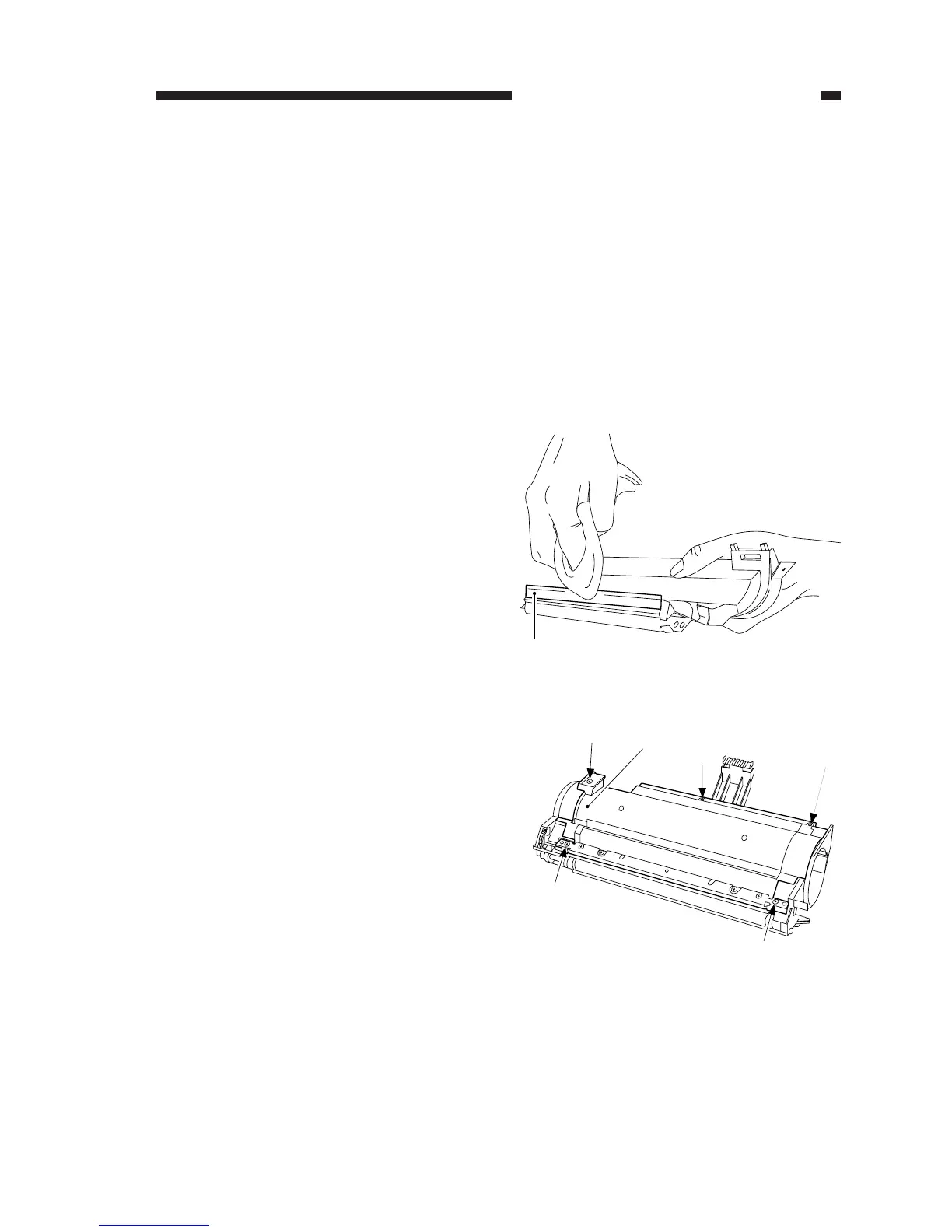
1) Apply a thin coating of toner on the blade
[1] with a flannel cloth.
Figure 4-329
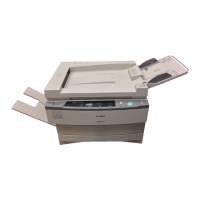
2) Install the developing assembly cover,
and tighten the five screws lightly; then,
tighten the screws in the order shown in
the figure.
Figure 4-330






 To Next Page