Replacing a FINE Cartridge
When remaining ink cautions or errors occur, the message will appear on the LCD to inform you of the error.
Take appropriate action according to the message.
A Message Is Displayed
Note
• For precautionary notes on handling FINE cartridges, see Notes on FINE cartridges.
Replacing Procedure
When you need to replace a FINE cartridge, follow the procedure below.
1.
Make sure that the power is turned on.
2.
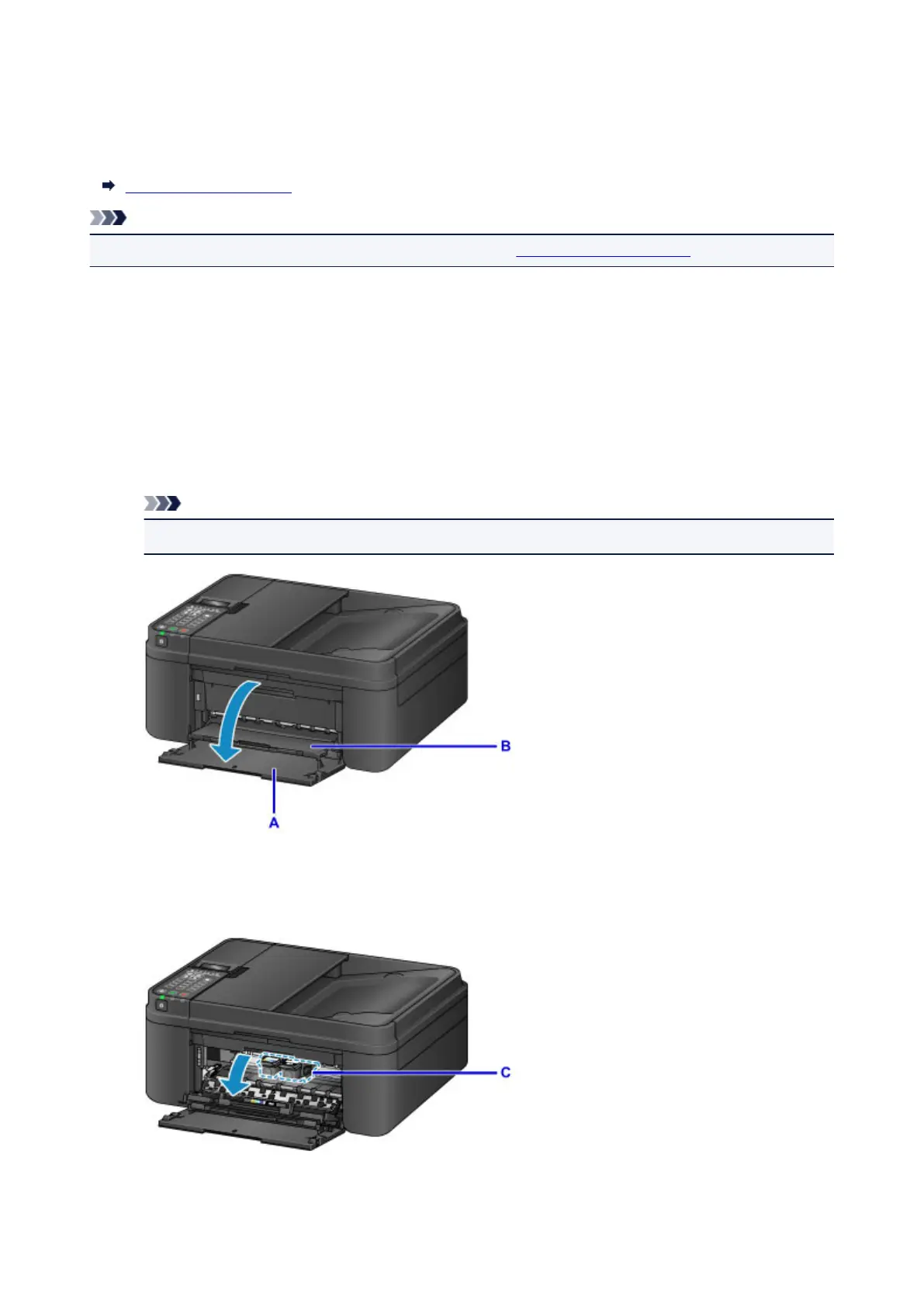
Open the front cover (A).
The paper output tray (B) opens.
Note
• Remove any paper in the cassette.
3. Open the paper output cover.
The FINE cartridge holder (C) moves to the replacement position.
155














 To Next Page