Connection without Using a Wireless Router (Windows XP)
Restrictions
(Appears in a new window)
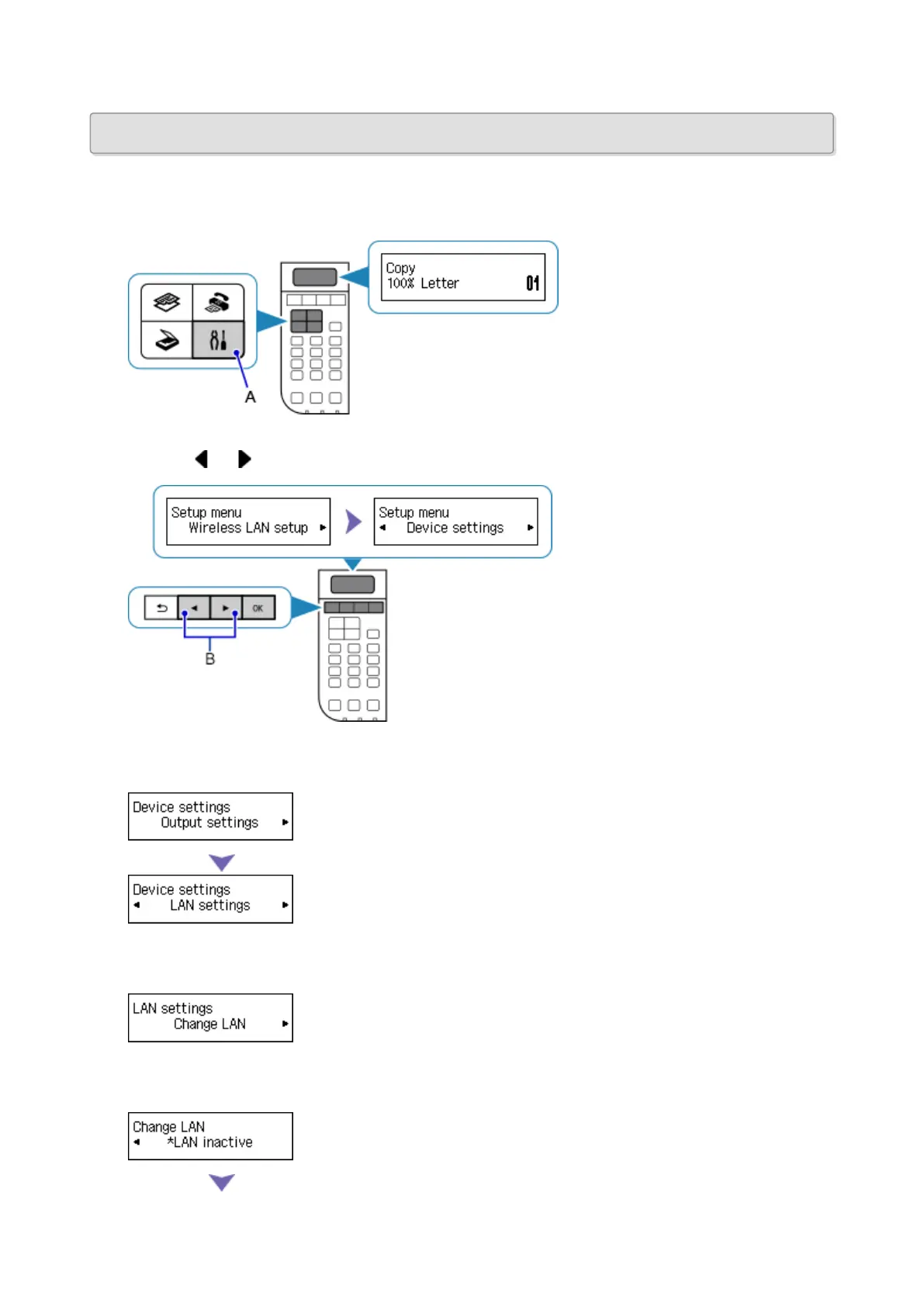
1. Press the Setup button (A) on the printer.
2.
Use the or button (B) to select Device settings, then press the OK button.
3.
Select LAN settings, then press the OK button.
4. Select Change LAN, then press the OK button.
5. Select Access point mode, then press the OK button.
33














 To Next Page