Setting the Print Quality Level (Custom)
The print quality level can be set in the Custom.
The procedure for setting the print quality level is as follows:
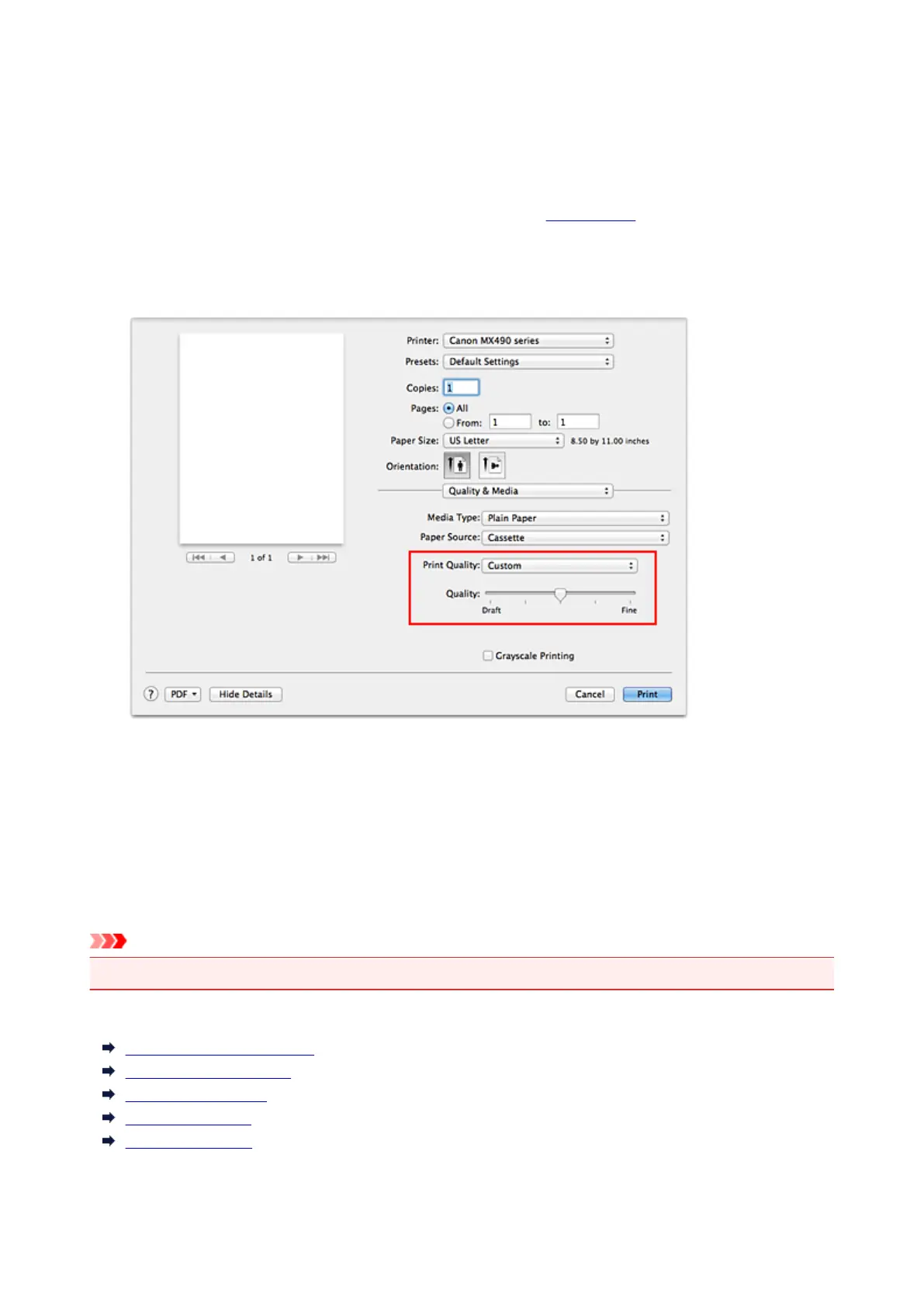
1. Select Quality & Media from the pop-up menu on the Print Dialog
2.
Select the print quality
Select Custom for Print Quality.
3.
Setting the print quality level
Move the Quality slider to select the print quality level.
4. Complete the setup
Click Print.
When you execute print, the image data is printed with the selected print quality level.
Important
• Certain print quality levels cannot be selected depending on the settings of Media Type.
Related Topics
Specifying Color Correction
Adjusting Color Balance
Adjusting Brightness
Adjusting Intensity
Adjusting Contrast
307














 To Next Page