Adding a PIXMA Cloud Link User
Several people can use one printer.
This section describes the user addition procedure and the user privileges.
Adding a user
1.
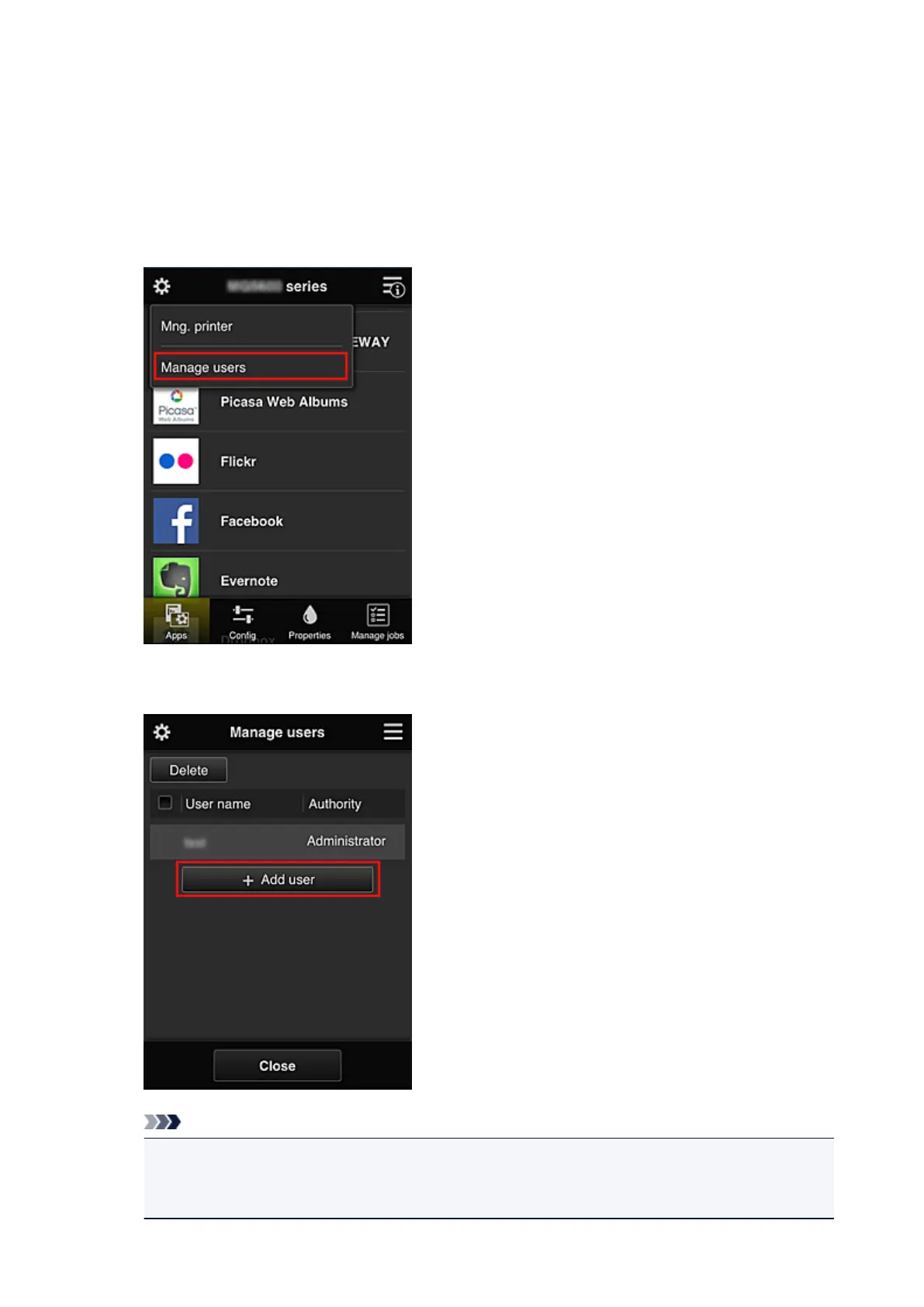
On the service screen, select Manage users
2.
Select Add user
Note
•
When you select Add user, the service first checks whether the maximum number of users has
been reached. If new users can be added, the user registration screen appears.
•
The maximum number of users that can be added for 1 printer is 20.
74














 To Next Page