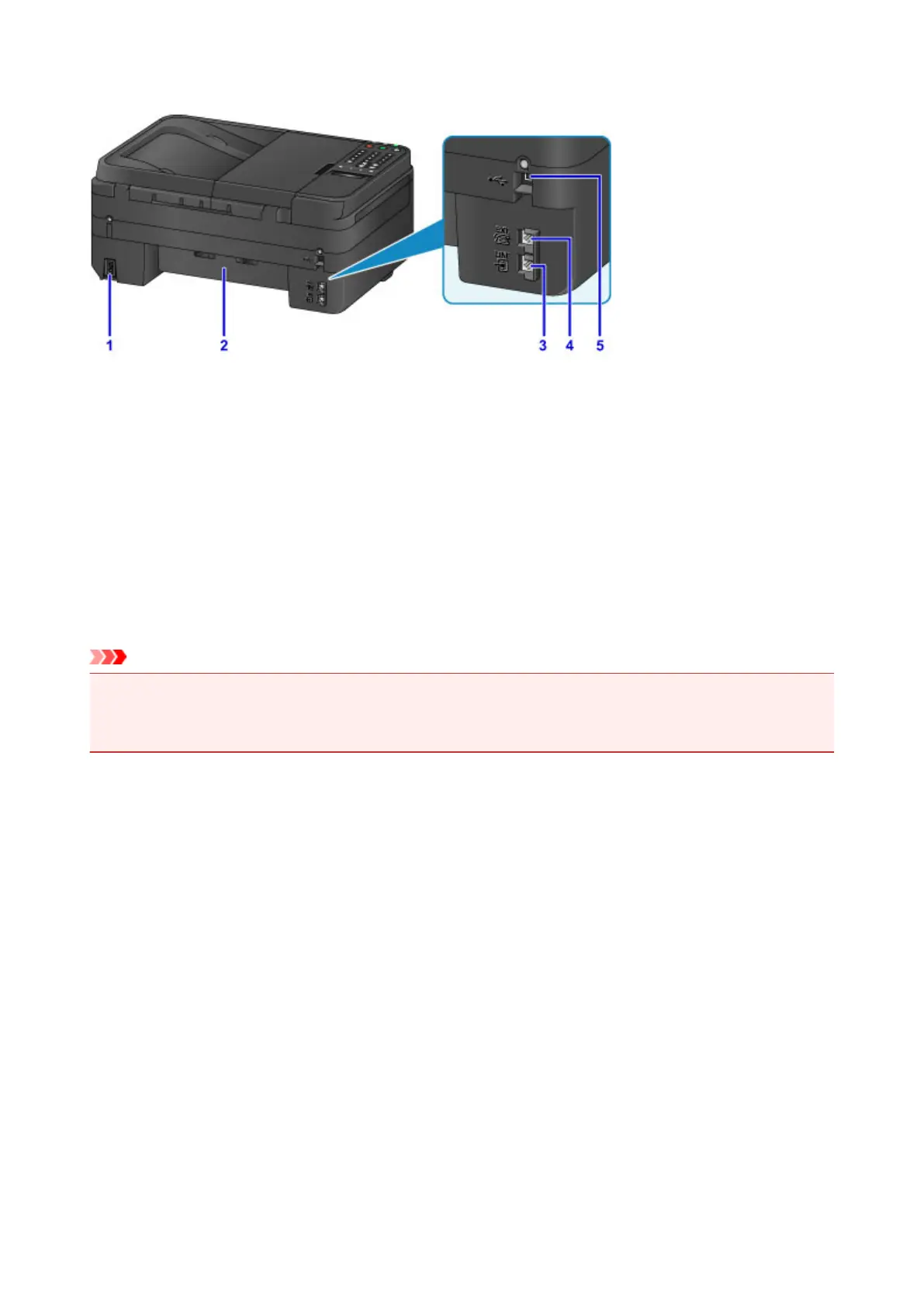
Rear View
(1) power cord connector
Plug in the supplied power cord.
(2) transport unit
Open when removing jammed paper.
(3) telephone line jack
Connect the telephone line.
(4) external device jack
Connect an external device such as telephone or answering machine.
(5) USB port
Plug in the USB cable to connect the machine with a computer.
Important
• Do not touch the metal casing.
• Do not plug in or unplug the USB cable while the machine is printing or scanning originals with the
computer.
111














 To Next Page