168A
Cause
The FINE cartridge is not installed properly, or the FINE cartridge not compatible with this machine is
installed.
Action
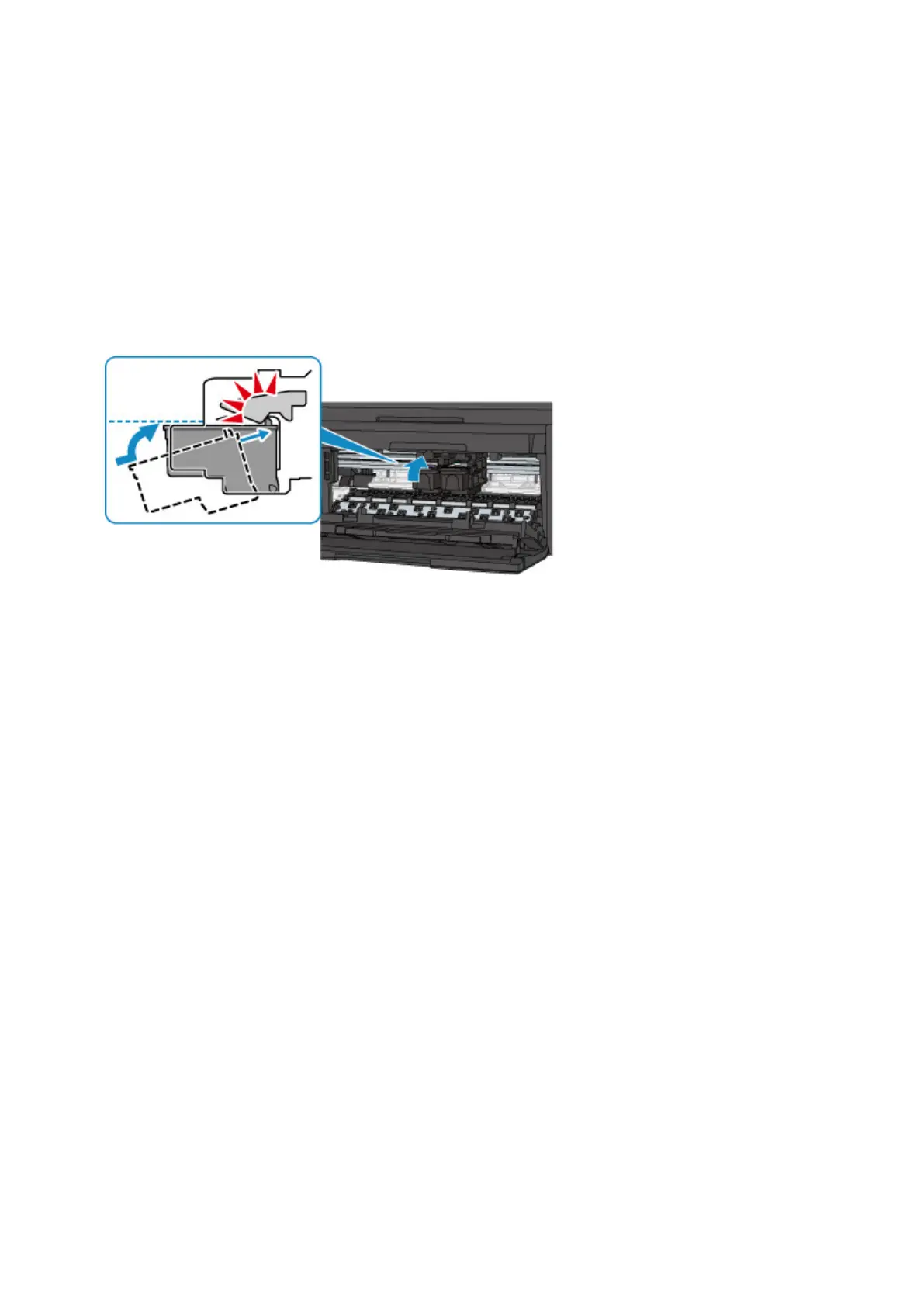
Open the paper output cover, then remove the FINE cartridges.
Make sure that the FINE cartridge compatible with the machine is installed.
Then install the FINE cartridges again. Push up the FINE cartridge until it clicks into place.
When the FINE cartridge is installed properly, you hear an electric sound once.
After installing, close the paper output cover.
709














 To Next Page