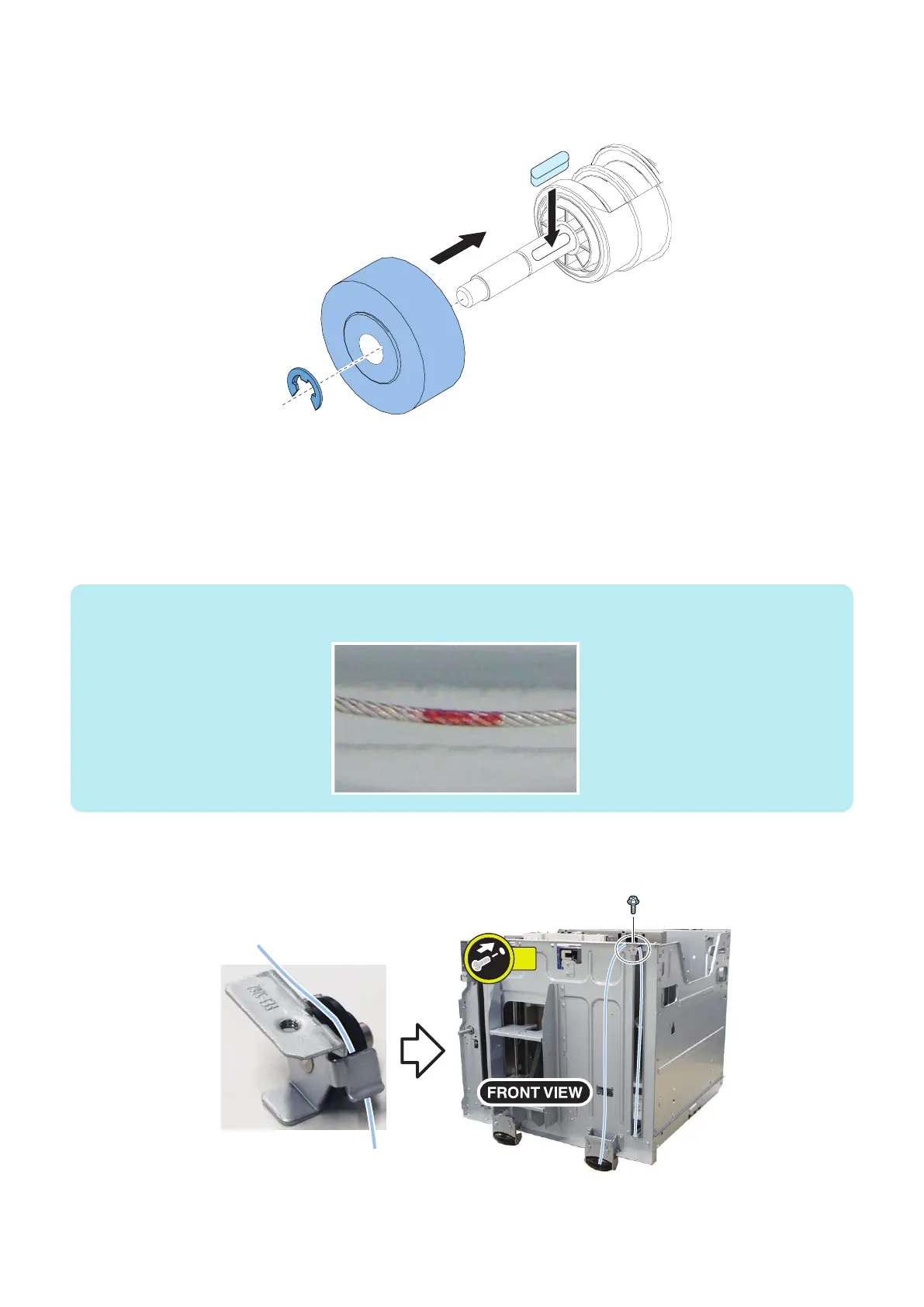
9. Attach the Lifter Wire Shaft Gear.
• 1 Parallel Key
• 1 E-ring
■ Front
1. Slide the Side Guide Plate to the minimum paper size position.
2. Put the Lifter Wires through the right and the left lifter holes on the Lifter Plate.
• Long Lifter Wire: Put it through the right hole on the plate.
• Short Lifter Wire: Put it through the left hole on the plate.
NOTE:
Red dot is marked on the Long lifter wire.
3. Put the Long Lifter Wire through the Small Pulley and then fix it on top right part of the Compartment.
• 1 Screw (RS tightening; M4x8)
4. Disassembly/Assembly
79









 To Next Page