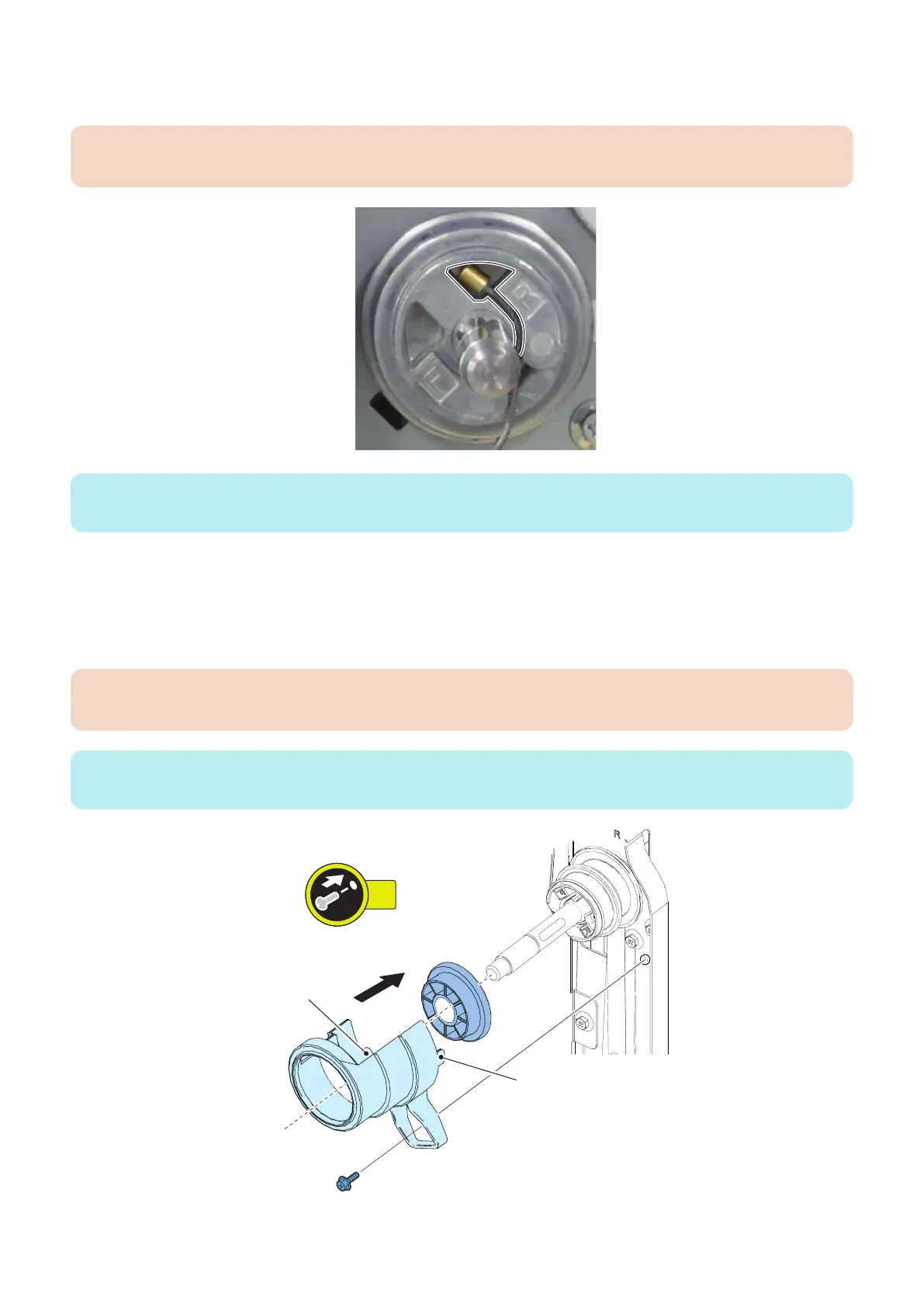
7. Attach the Small Pulley and then put the Long Lifter Wire along the groove.
• 1 Parallel Pin
CAUTION:
Put the Long Lifter Wire in the groove R side.
NOTE:
Pull the Long Lifter Wire from bottom left of the Compartment and attach it without slackness.
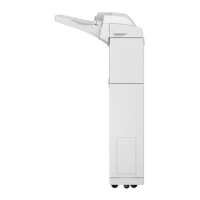
8. Fix the Lifter Wire.
• 1 Pulley Fixing Plate
• 1 Lifter Wire Fixing Cover
• 2 Points
• 1 Screw (RS tightening; M4x8)
CAUTION:
Do not nip the Lifter Wire between the Lifter Wire Fixing Cover and the pole.
NOTE:
Attach the Pulley Fixing Plate to the Small Pulley with fitting the U-shaped groove.
4. Disassembly/Assembly
78









 To Next Page