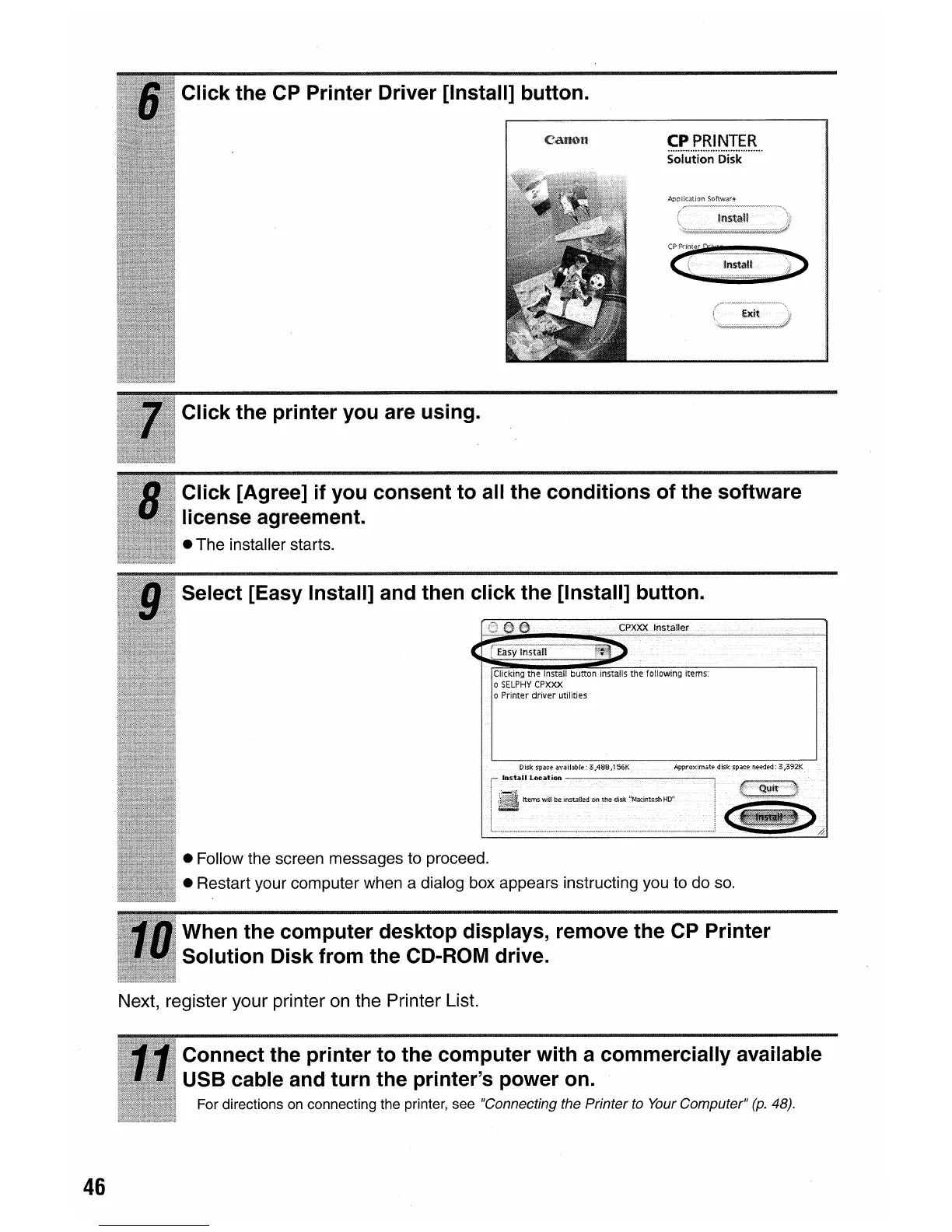
Click the CP Printer Driver [Install] button.
CPPRINTER
s·o'iutton·iiisk·
...
·····
• Follow the screen messages to proceed.
• Restart your computer when a dialog box appears instructing you to do
so.
Click the printer you are using.
Select [Easy Install] and then click the [Install] button.
Click [Agree] if you consent to all the conditions of the software
license agreement.
• The installer starts.
When the computer desktop displays, remove the CP Printer
Solution Disk from the CD-ROM drive.
Next, register your printer
on
the Printer List.
Connect the printer to the computer with a commercially avai'lable
USB cable and turn the printer's power on.
For directions on connecting the printer, see "Connecting the Printer to Your Computer"
(p.
48).
46















 To Next Page