17
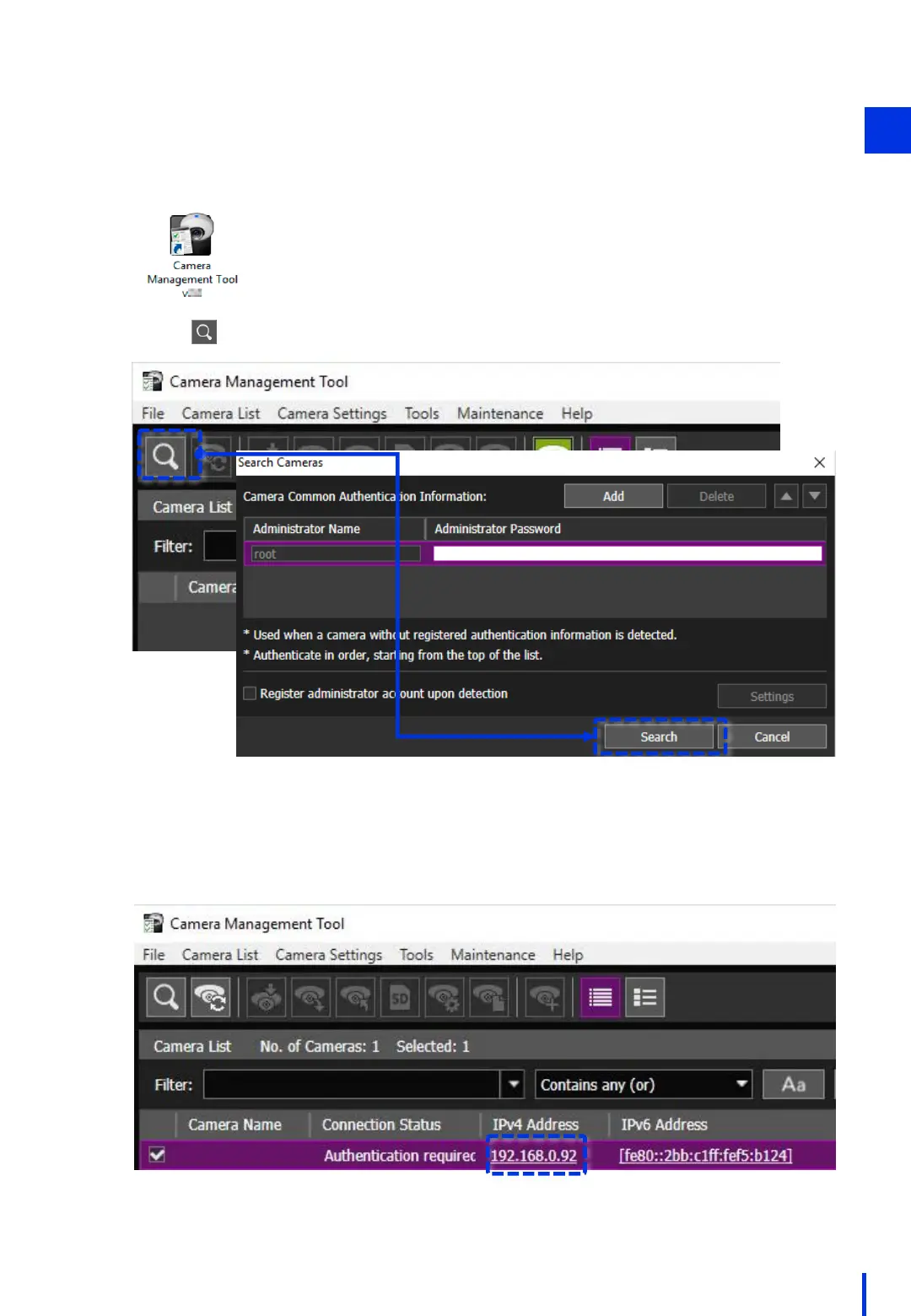
Start the Camera Management Tool.
2
Click . Next, click [Search].
3
Use the Camera Management Tool to search for a camera.
All network cameras that are on the same network are shown.
The IP address is shown in the IPv4 Address column.
* Industrial cameras (N10-W02) will not appear in this search.
4
1



 To Next Page