52
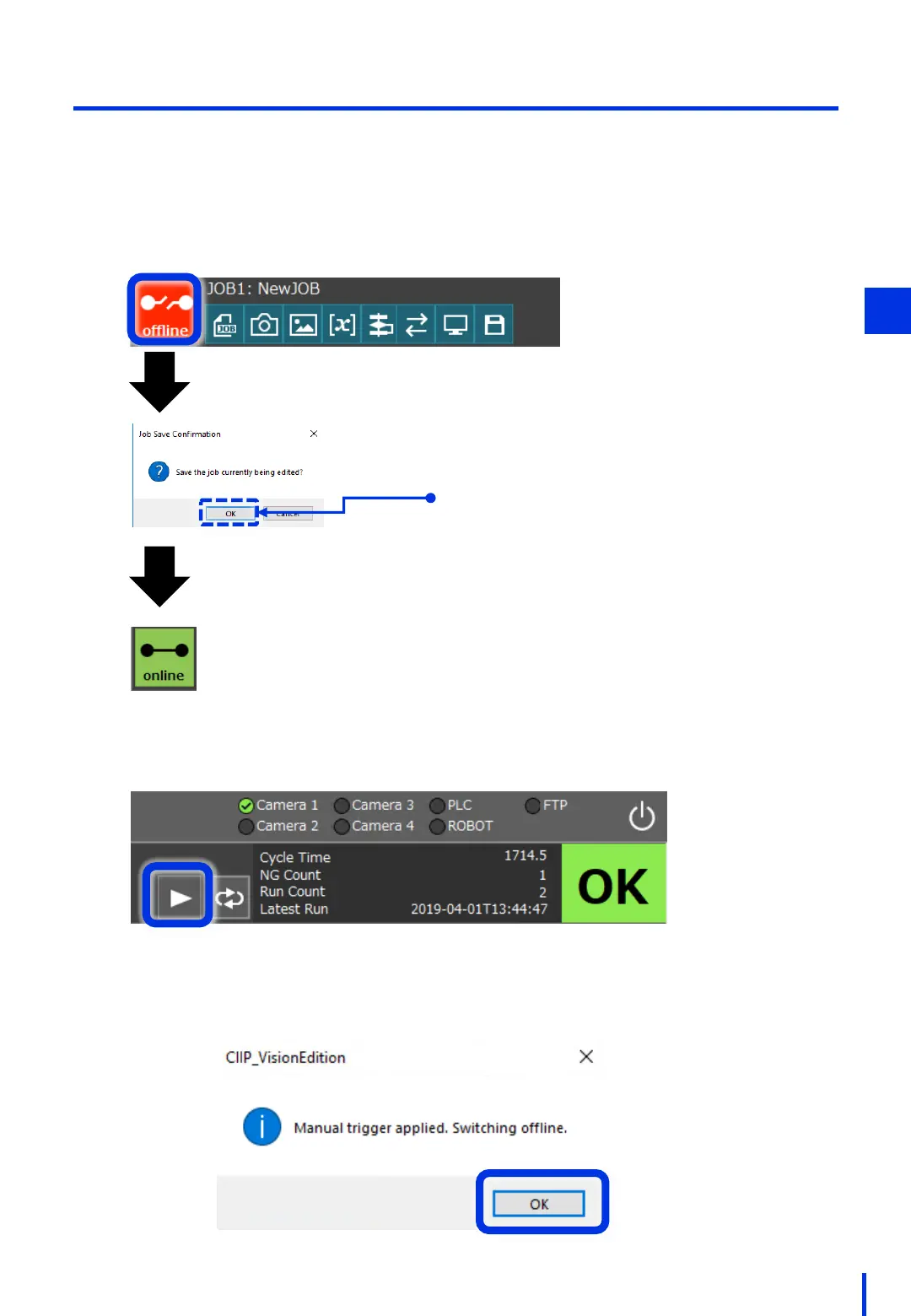
Finally, switch to online mode and start the program.
(3) Perform Operation in Online Mode
At the top of the Vision Edition main window, press the [offline] button.
1
This indicates
online mode.
Press the [OK] button.
Click the trigger to execute the JOB.
The following dialog box is displayed when the JOB is complete. Click [OK].
4



 To Next Page