42
(5) Edit the 2D Code Recognition Unit
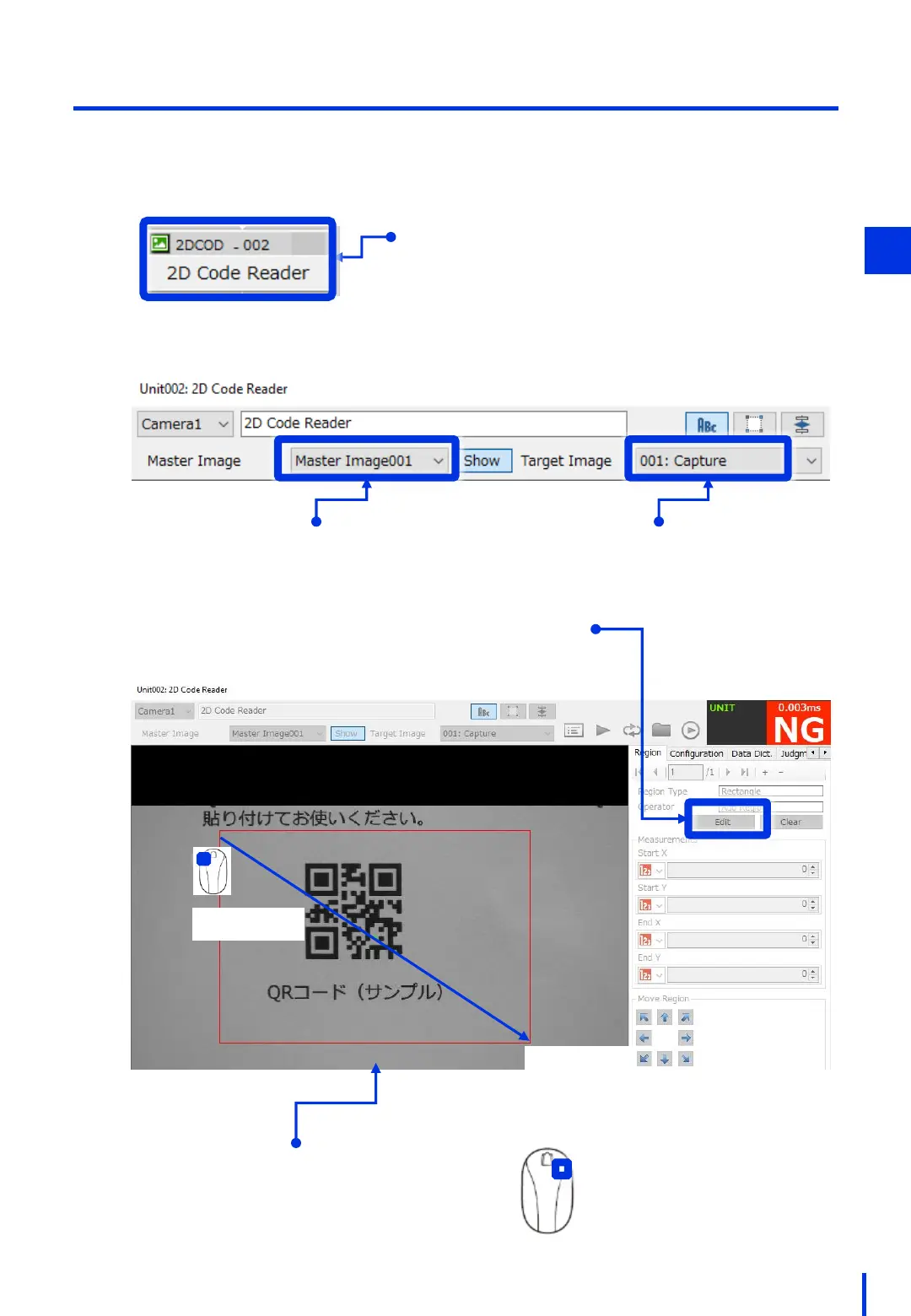
Set the 2D code recognition region.
In the Edit Flowchart window, double-click [2DCOD – 002].
1
Double-click
Select [Master Image001]. Select [001: Capture].
Click [Edit].
Drag to create a search region
that encloses the QR code.
(3) Right-click
to fix the region.
3
×
(1) Drag
(2) Drop



 To Next Page