41
3
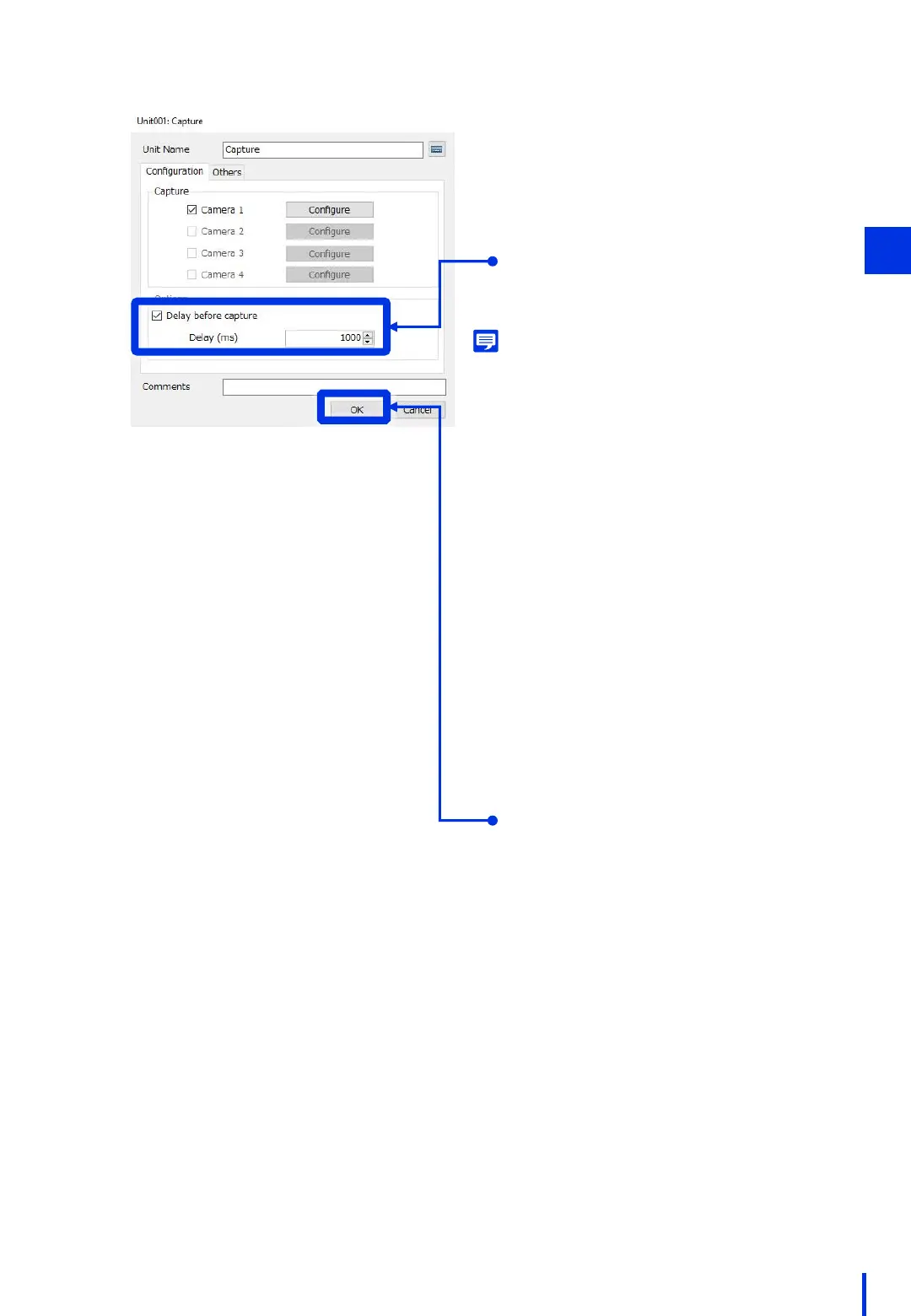
Click [OK] to close the window for
editing capture units.
Select [Delay before capture],
and set the delay to "1000".
* During actual operation, refer to the
following memo to set an appropriate
value.
Memo
After PTZ movement is complete, the camera waits
for the amount of time set for the delay time before
capturing an image. The time required to focus
must be included in this value.
In situations such as when a single camera is used
to capture images at multiple points or when the
focus mode is set to "Auto" in particular, failing to
set a delay time could cause images to be
captured before focus movement is complete.
The time required for focusing will vary depending
on the distance between the camera and the
subject, and the type of camera used. Therefore,
we recommend capturing images repeatedly in
the actual environment in order to verify the
operation, and then setting a value that will allow
sufficient time for the focusing operation to
complete.
As a guideline, if the focus mode is set to "Auto", set
this value to around "2000".



 To Next Page