51
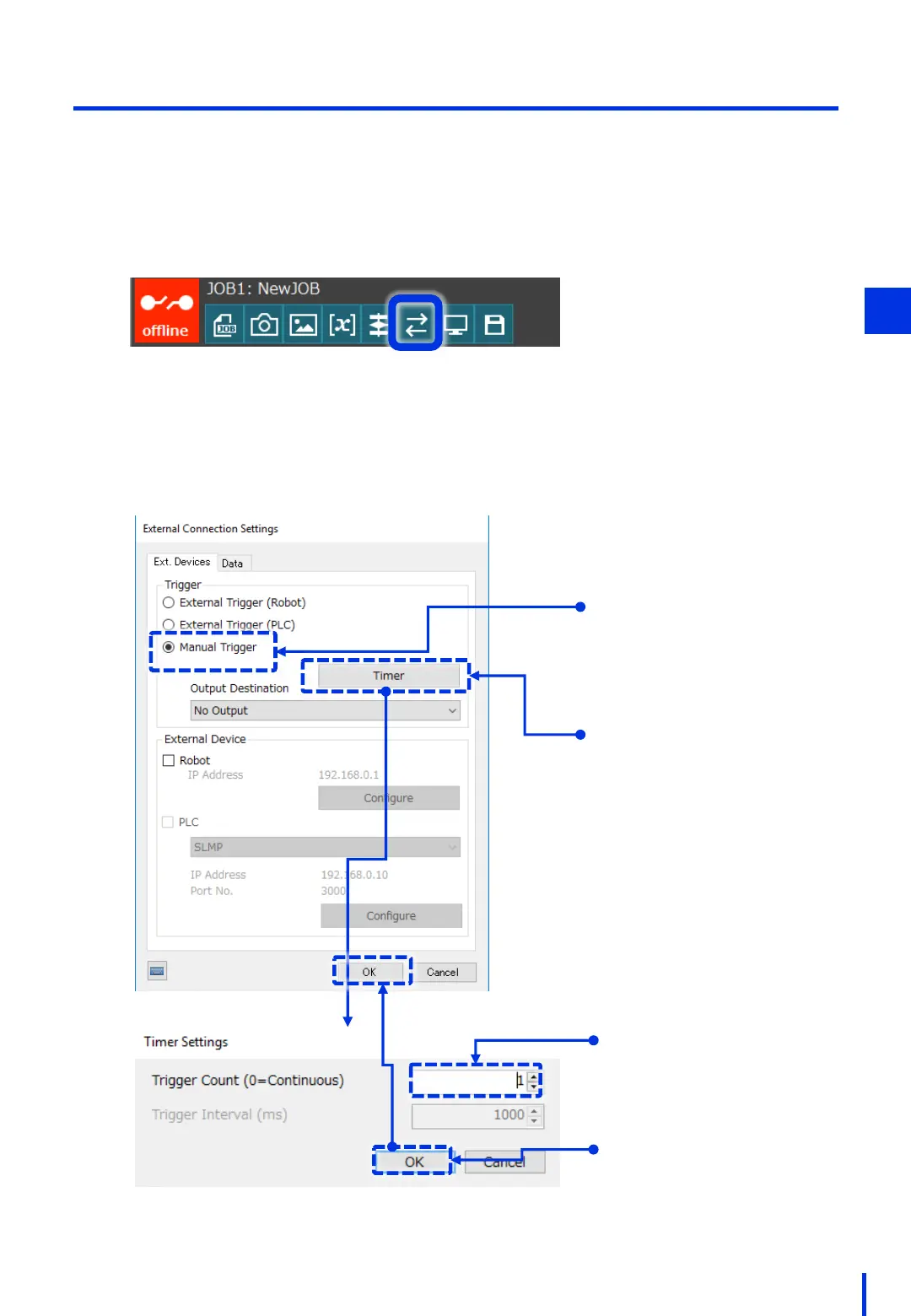
This section describes how to set the trigger mode to Manual Trigger.
(2) Prepare for Online Mode
At the top of the Vision Edition main window, press [External Connection Settings].
1
Set the Trigger setting to [Manual Trigger], press the [Timer] button, and then set the
Trigger Count to 1.
2
Select [Manual Trigger].
Press the [Timer] button.
Set the Trigger Count to 1.
Press the [OK] button to return
to the previous window, and
then press [OK] again to
complete these settings.
4



 To Next Page