(2) Connect the Camera to a PC
8
1
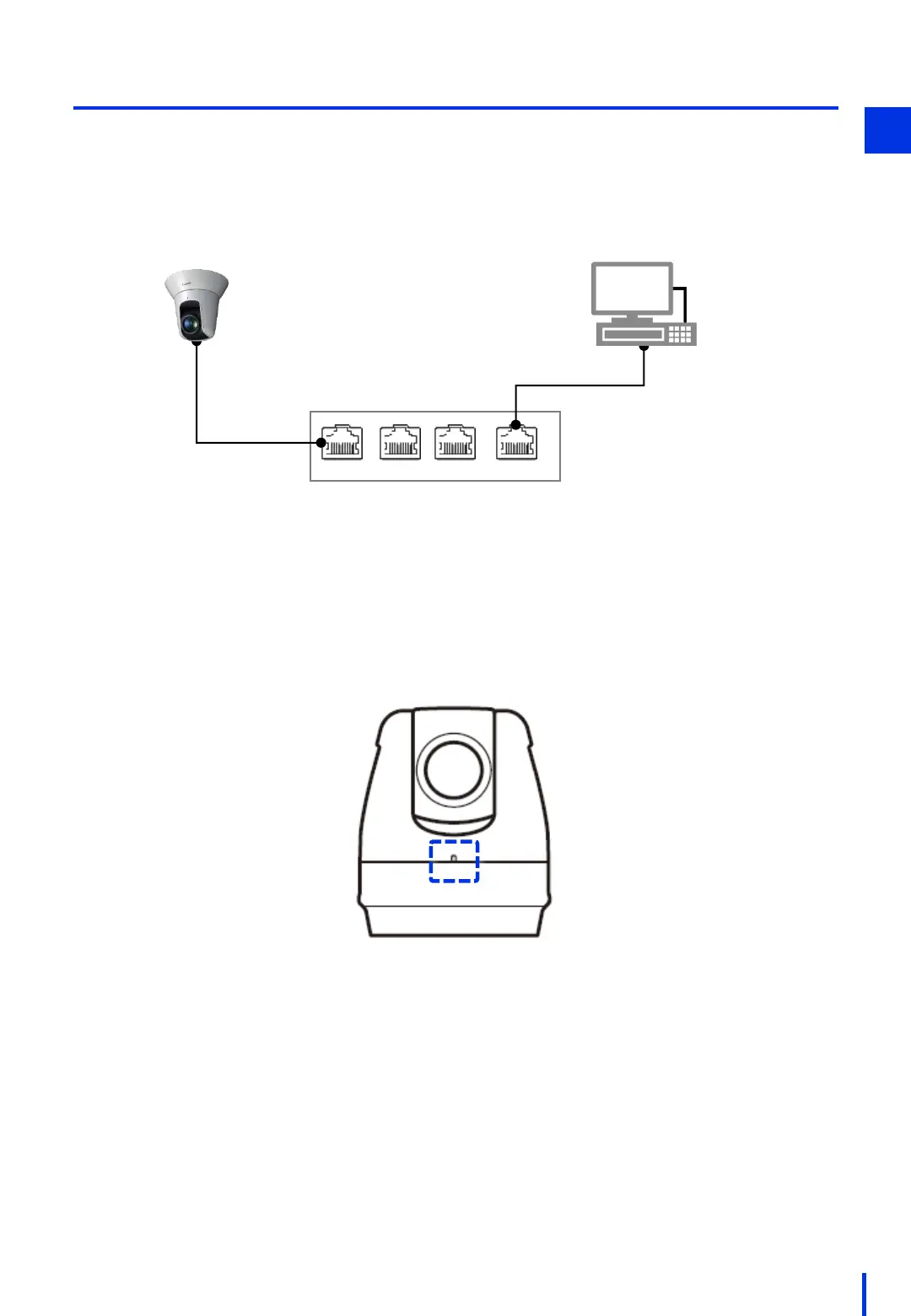
PoE hub
Use LAN cables to connect the Windows PC and the network camera to the PoE
hub. Connect the network camera to the power supply port on the PoE hub.
* Do not connect any devices other than the camera and the Windows PC.
Otherwise, the identical IP addresses might be used.
1
PoE PoE
Non-PoE
Non-PoE
Camera unit
Windows PC
Turn ON the power to the Windows PC and the PoE hub. (It is ok if they are already ON.)
Wait about 30 seconds for the camera to finish starting up. (When the network
camera's LED comes on and the camera moves slightly in the pan and tilt directions,
the startup process is complete.)
2
LED



 To Next Page