36
(4) Configure Capture Settings and Register a Master Image
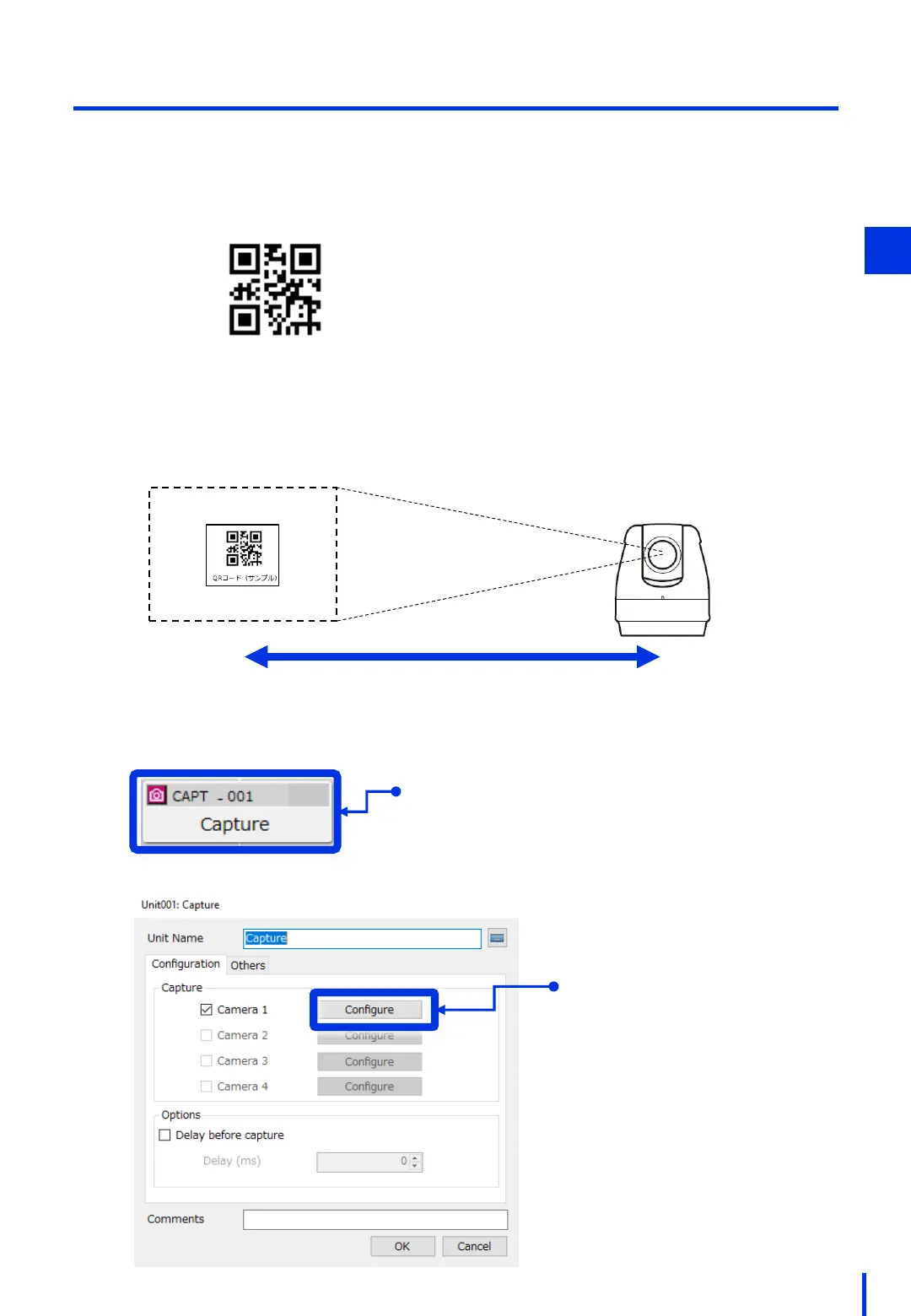
Arrange the camera and the target workpiece (QR code) as shown in the figure
below. Align the QR code to the center of the lens.
Print out this page at A4 size, and then cut out the QR code shown below and affix it
to a box or other object.
1
QR code (sample)
1.5 m
Configure the capture parameters. In the Edit Flowchart window, Double-click [CAPT - 001].
2
Double-click
Click [Configure] for
Camera 1.
3
Visible range
* If you are unable to select
Camera 2 or later, perform Step
2 in "(2) Register the Camera".



 To Next Page