37
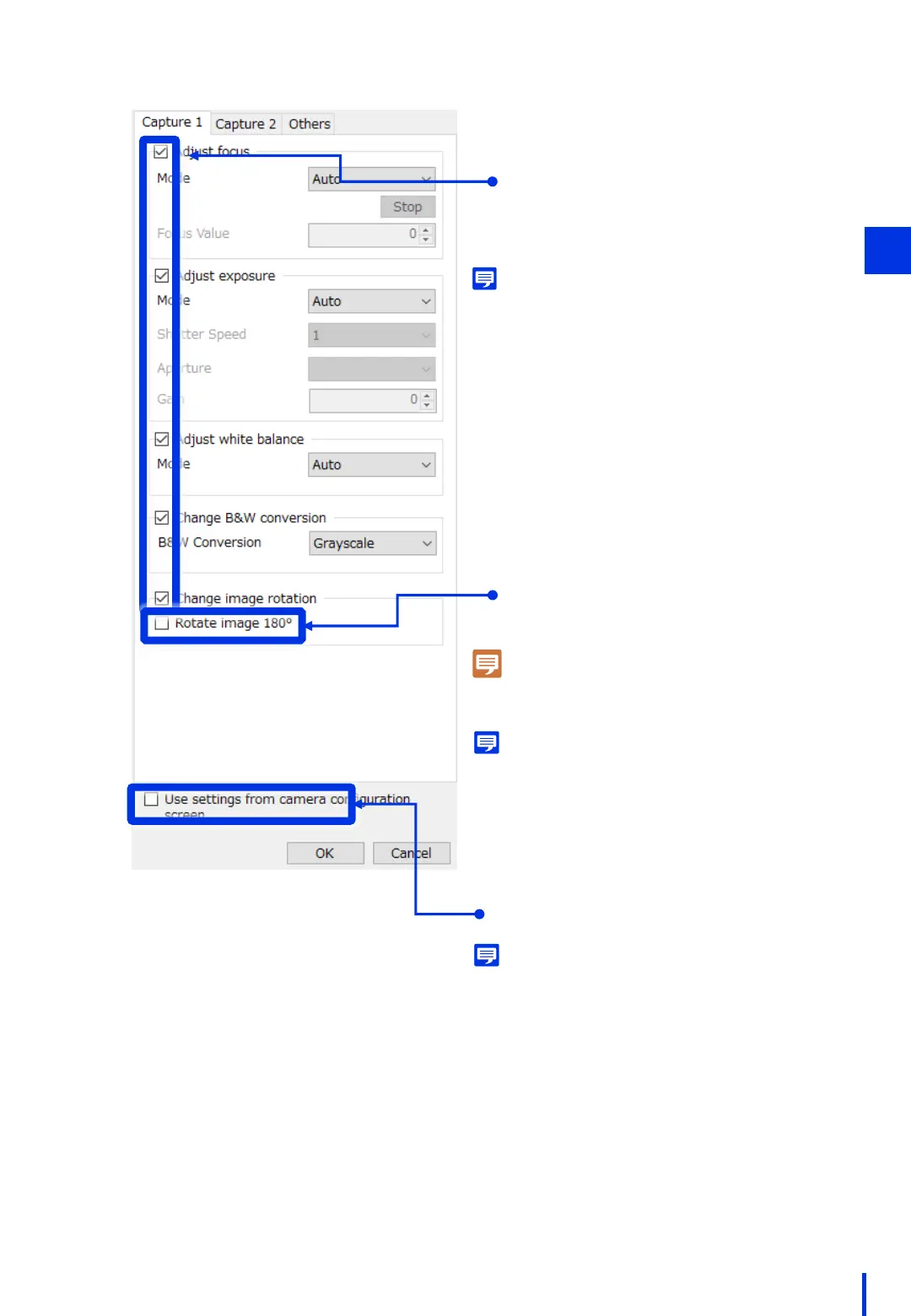
[Adjust focus]
[Adjust exposure]
[Adjust white balance]
[Change B&W conversion]
[Change image rotation]
Select each of these parameters.
3
Memo
If you do not select these parameters, the image
will be captured using the previous settings. To
avoid any problem, we recommend selecting the
parameters and explicitly configuring the settings.
Unselect [Rotate image 180°].
Note
If the image is flipped, refer to Chapter 1 "(8)
Configure the Camera's Video Flip Setting".
Memo
Although it is ok to turn on 180° rotation here, the
direction of rotation will be opposite of when setting
the pan and tilt. Therefore, we recommend
configuring the flip setting on the camera as
described in Chapter 1.
Unselect [Use settings from camera
configuration screen].
Memo
If you select this parameter, the setting values
configured in the camera configuration screen window
(the window used in "(2) Register the Camera") will be
used. However, if any [Adjust ________] parameters are
selected in this window, the settings that are configured
in this window are used.



 To Next Page