29
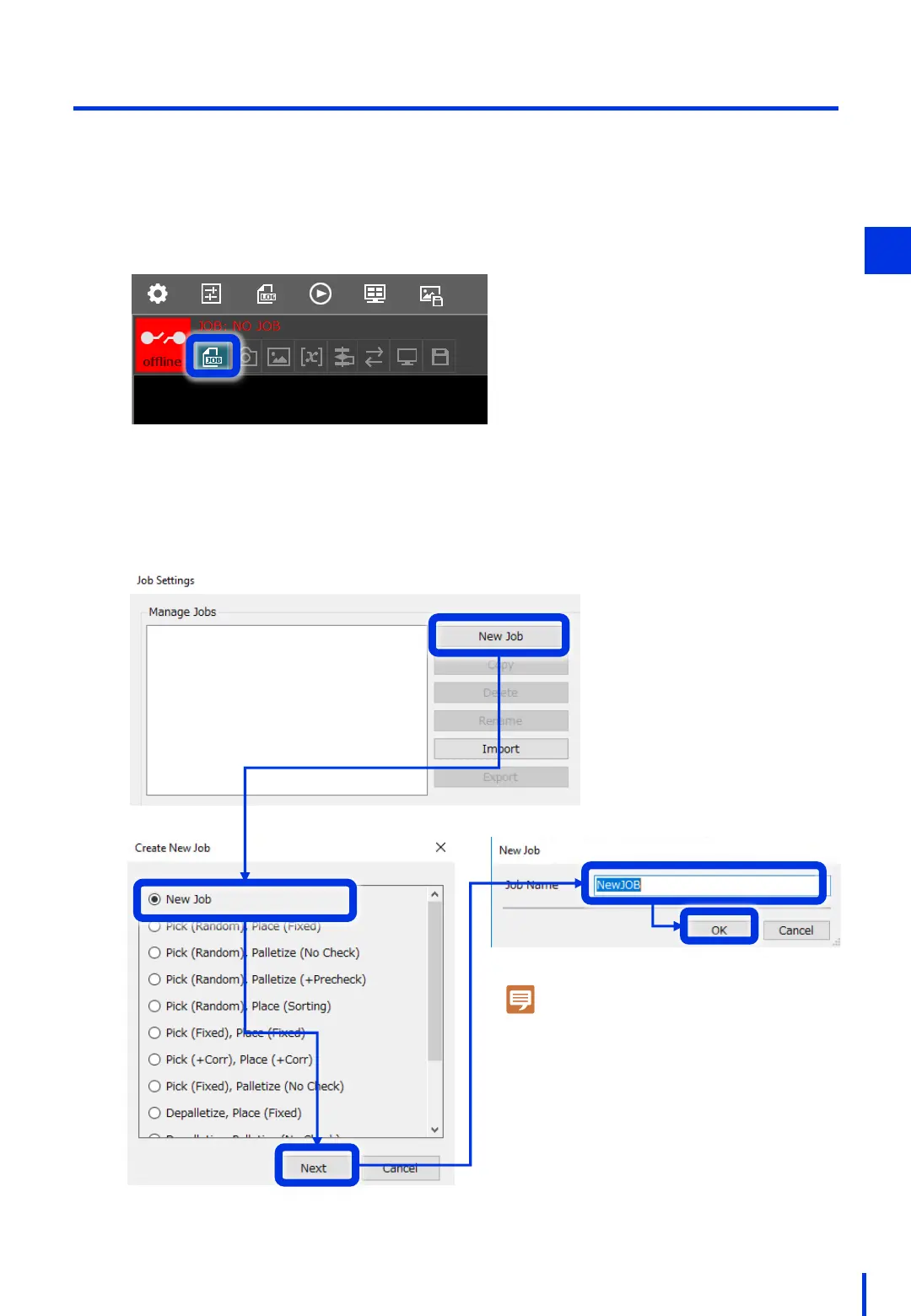
(1) Add a Sample JOB
Create the first image processing setting file (JOB).
We will create a new JOB here.
On the top left of the Vision Edition main window, press [Job Settings].
1
The Job Settings window opens. Press the [New Job] button, and select [New Job].
You can leave the job name as it is, or change it to a name of your choice.
2
Note
If a job name is displayed in red, the name
cannot be selected because there is already
a job with the same name.
In addition, you cannot use an "_" (underscore).
3



 To Next Page