31
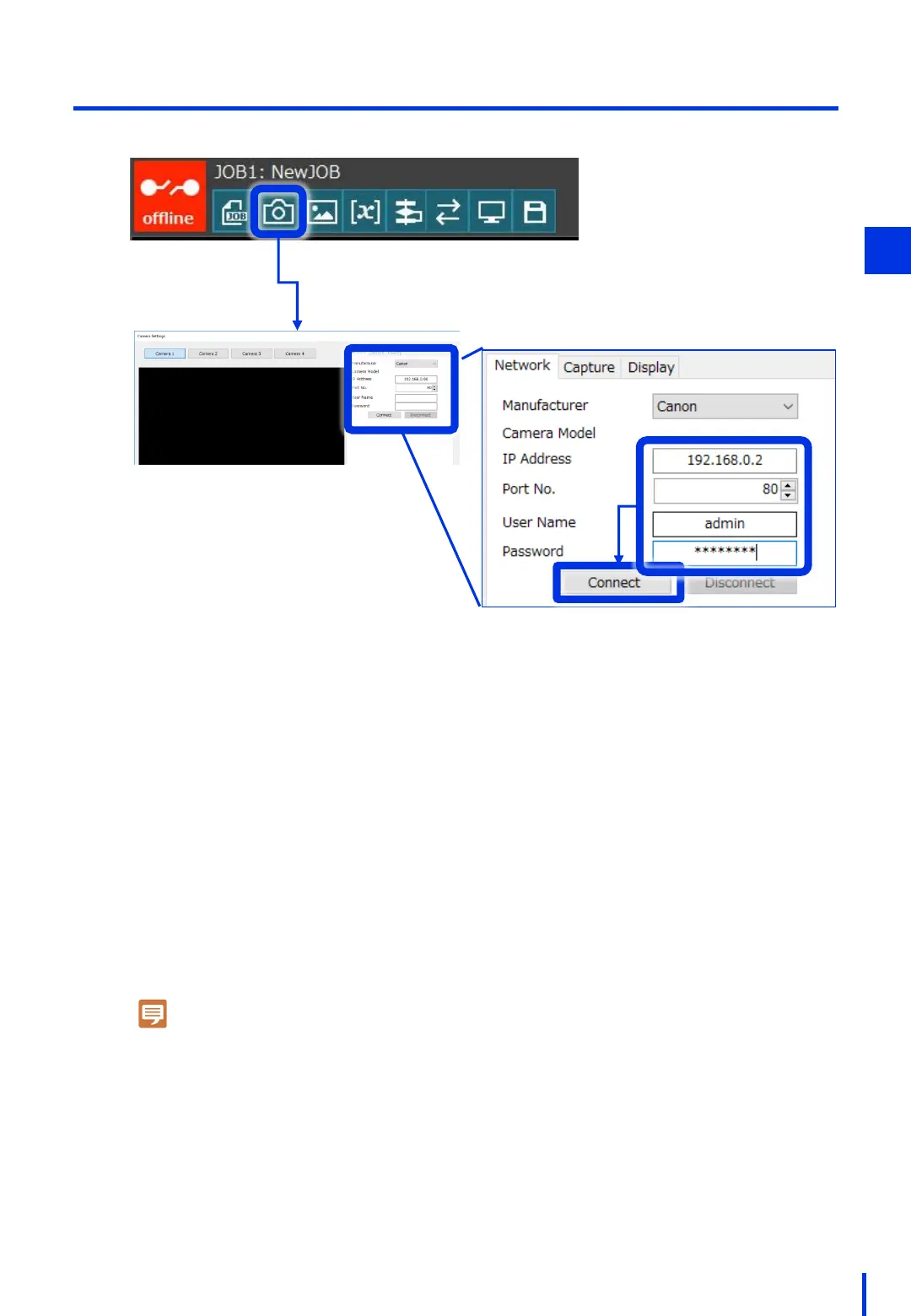
Enter the setting values that were
configured in Chapter 1.
- IP Address (example): 192.168.0.2
- Port No.: 80
- User Name (example): admin
- Password (example): password
(2) Register the Camera
3
Press the camera icon button to register the camera.
1
Note
If the camera cannot be connected, perform
the following steps:
- Confirm the camera's LED is ON.
- Confirm the LAN cables are connected.
- Double-check the user name and password.
- Ping the IP from a computer.
* Reference: Default settings for the
industrial camera (N10-W02)
- IP Address: 192.168.0.90
- Port No.: 80
- User Name: admin
- Password: password



 To Next Page