32
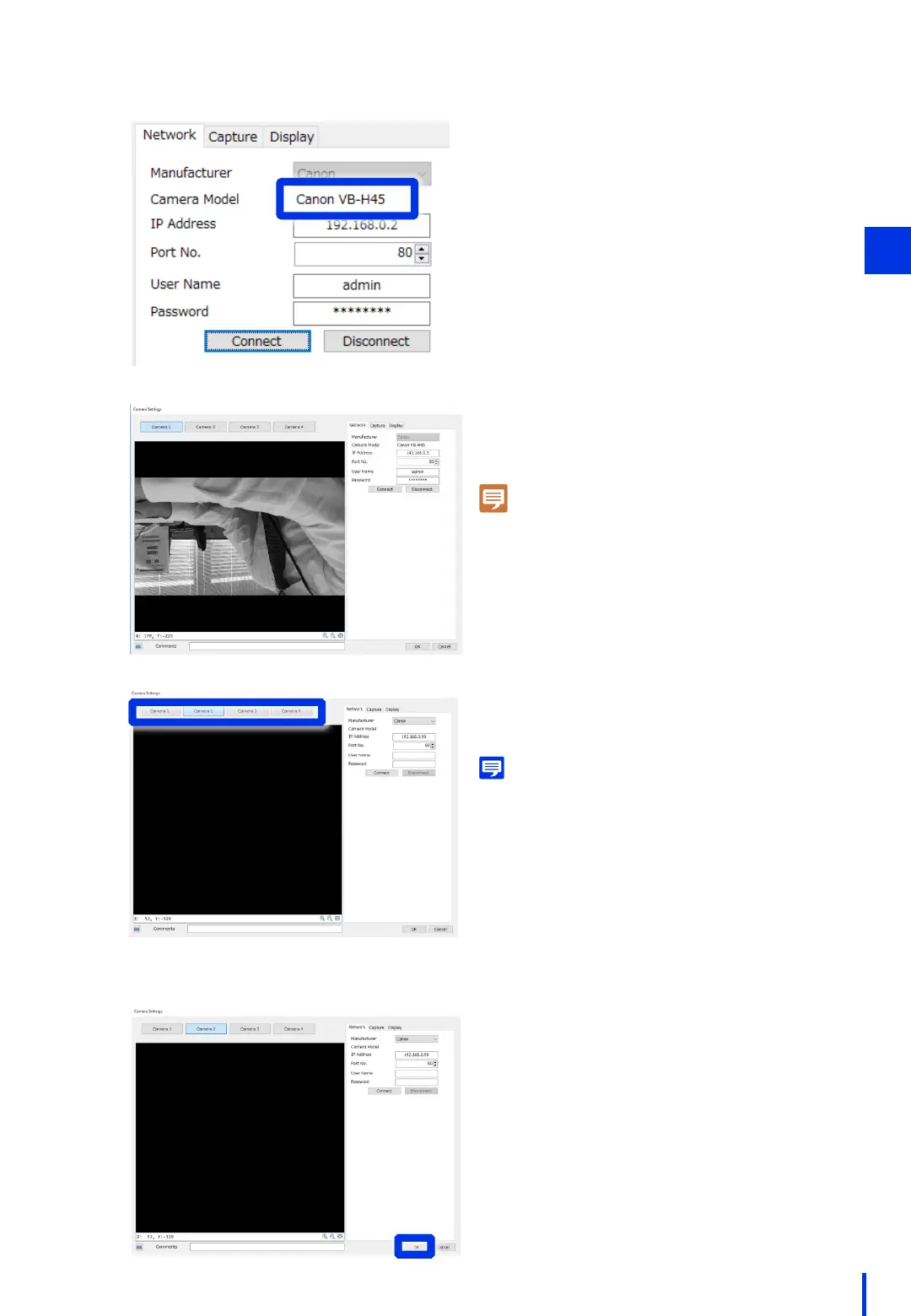
If the model name is displayed as
shown in the figure on the left,
the camera is connected.
On the bottom right of the camera
configuration screen window, press the
[OK] button. This completes the registration
of the camera.
* Detailed image capture conditions will
be configured in a separate procedure.
3
Note
If the image is flipped, refer to Chapter 1
"(8) Configure the Camera's Video Flip Setting".
Memo
If 2 or more cameras will be connected, switch the
camera tabs and configure the same settings.



 To Next Page