(1) Reset the Camera to the Factory Settings
6
1
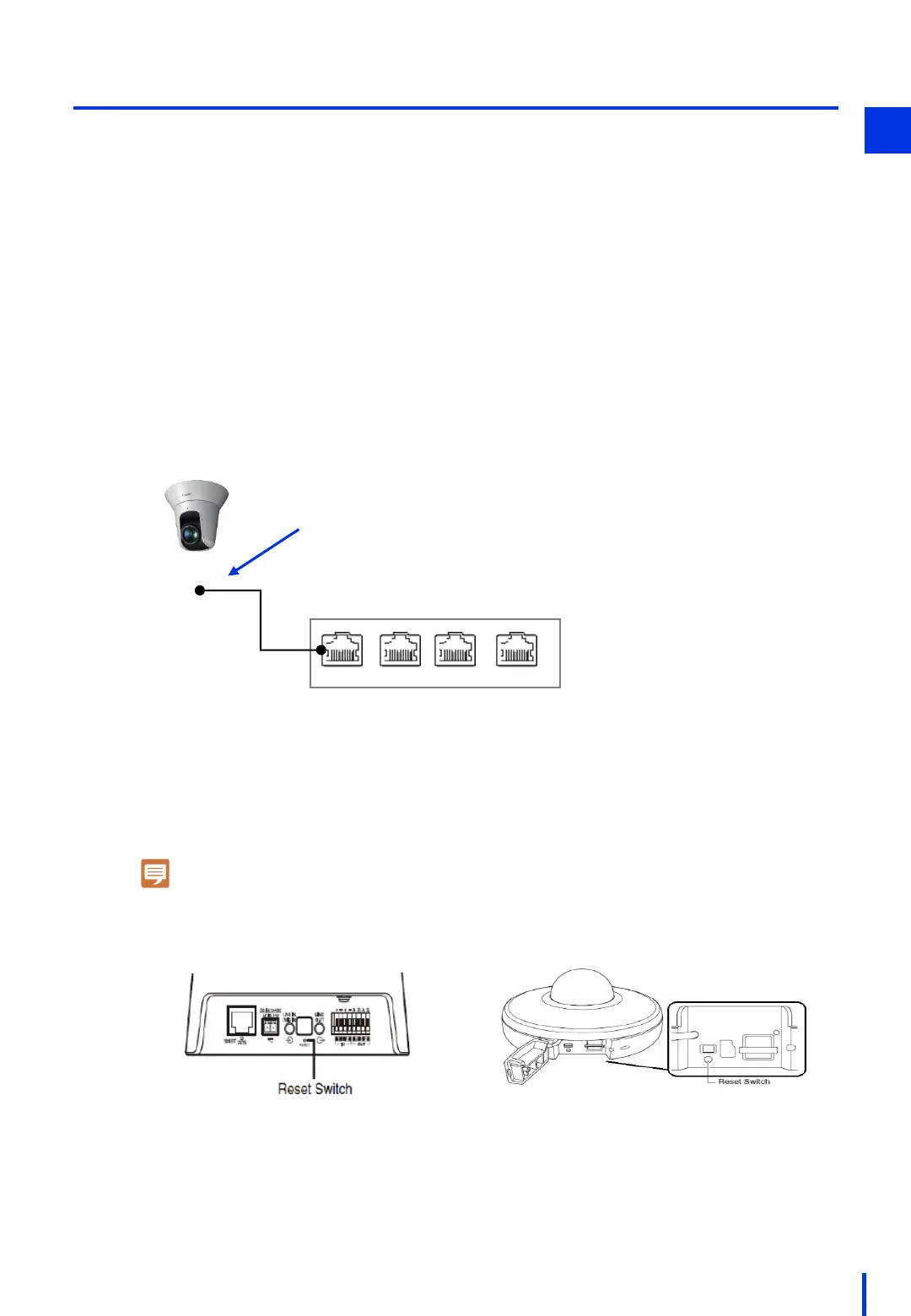
Turn ON the power to the PoE hub, and connect one end of a LAN cable to the
power supply port on the PoE hub. Do not connect the other end of the LAN cable
to the camera yet.
1
Use a pointed object such as the tip of a pen to press in and hold the Reset switch.
With the Reset switch pressed in, connect the LAN cable to the network camera.
Wait about 5 seconds, and then release the Reset switch.
When the network camera's LED comes on and the camera moves slightly in the
pan and tilt directions, this setting is complete.
2
[For VB-H45 and VB-S30D Mk II]
The following settings will be applied when you reset the camera to the factory default
settings.
IP address: DHCP (Initial IP:192.168.100.1)
Administrator name: None
Administrator password: None
PoE hub
PoE PoE
Non-PoE
Non-PoE
Camera unit
Do not connect the LAN cable yet.
If you have forgotten the camera's administrator name and password, reset the camera
to the factory default settings.
Note
It might take some time for the camera's initialization process to finish (about 5 minutes).
[VB-H45]
[VB-S30D Mk II]



 To Next Page