47
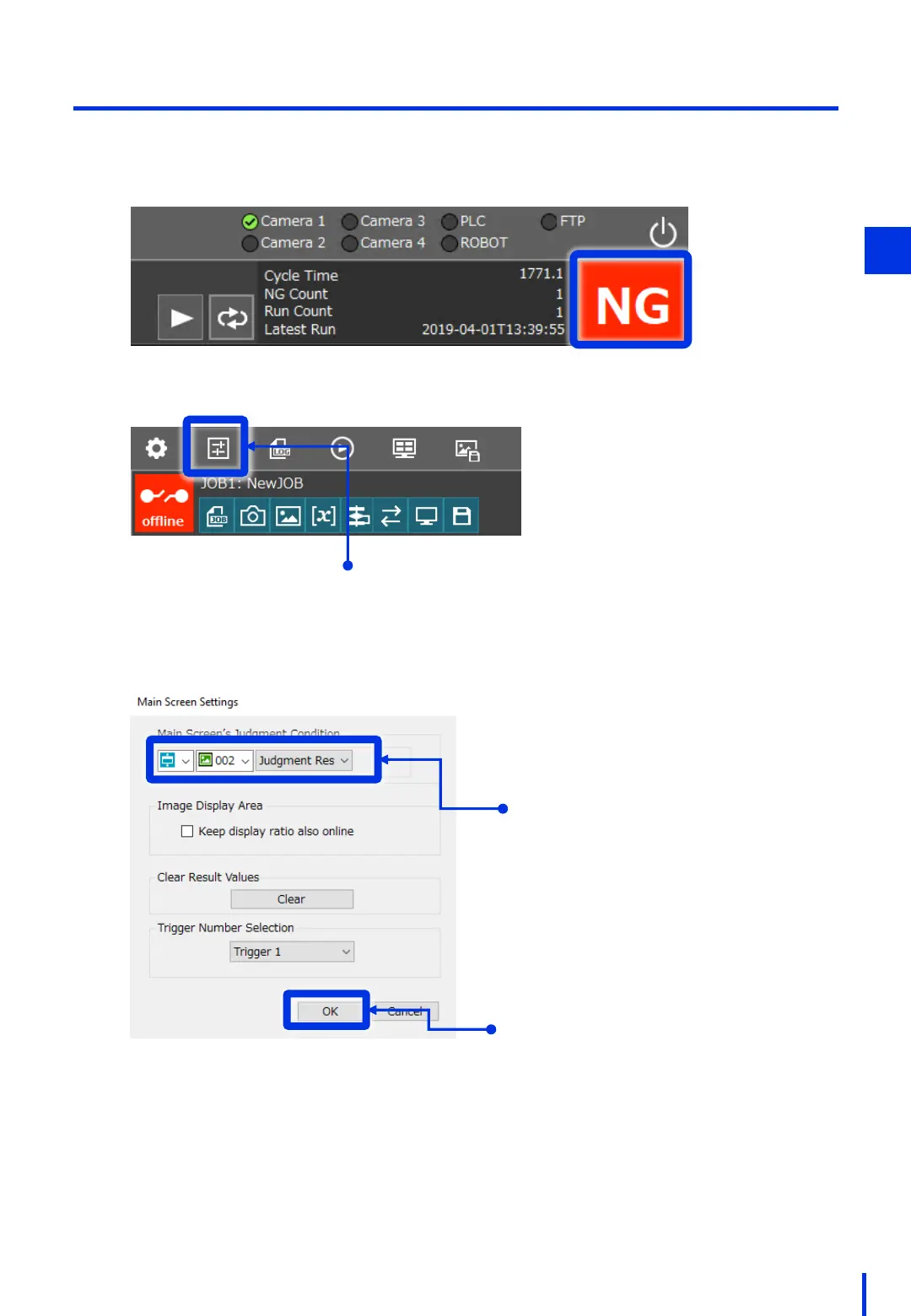
(7) Configure the Main Screen Validation Condition Settings
Configure the OK/NG judgement that is displayed on the top right of the window.
Here, configure the setting so that judgement result for the 2D code reader is
displayed.
1
Click [Main Screen Settings].
For Main Screen’s Judgment
Condition, set "Unit", "002: 2D Code
Reader", and "Judgment Result".
Click [OK].
3



 To Next Page