(7) Set the Camera's JPEG Compression Ratio
18
1
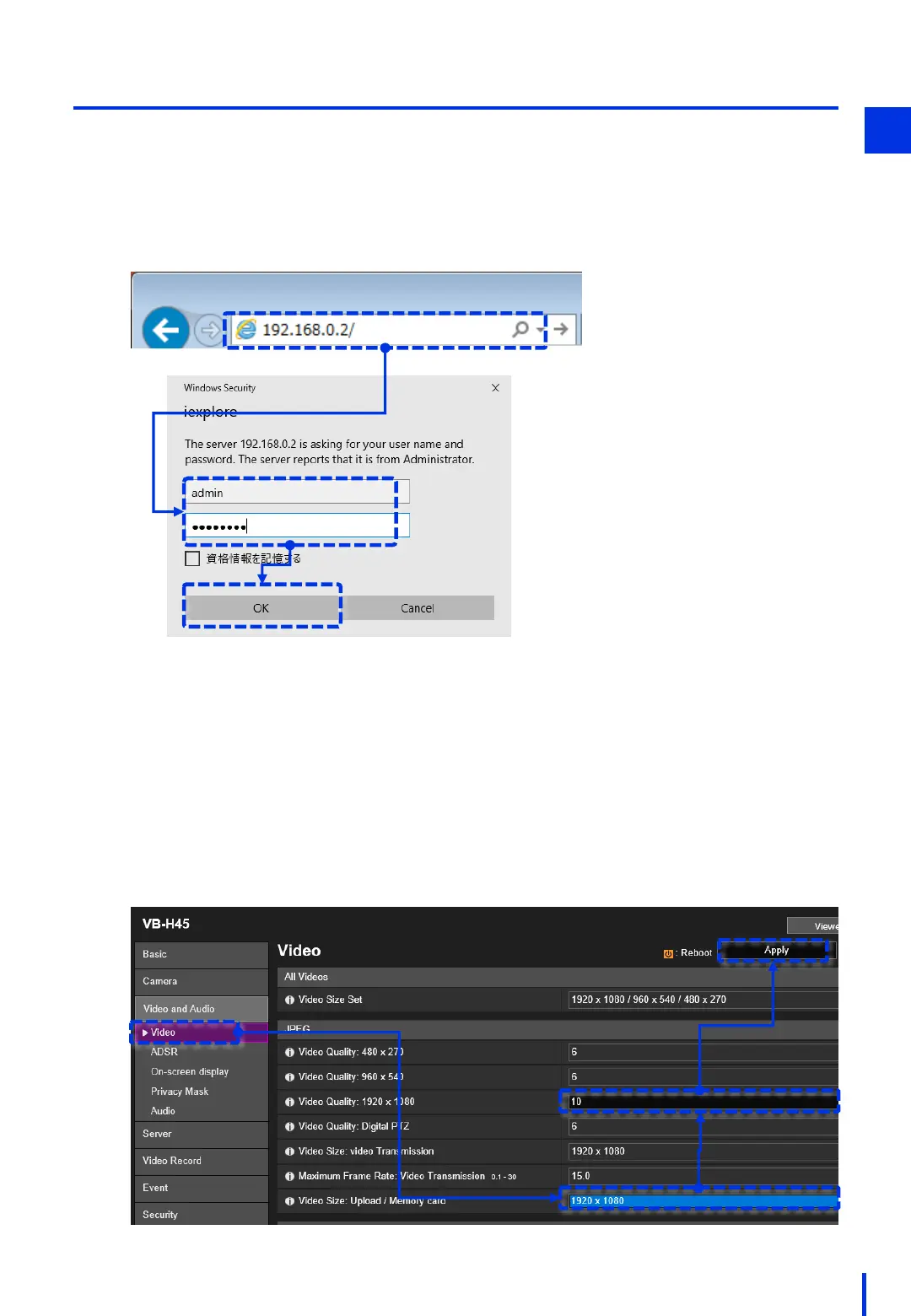
Open a browser, and enter the camera's IP address "192.168.0.2" in the address bar.
Enter the user name (example: admin) and the password (example: password), and
then click [OK].
1
Access the network camera and set the JPEG compression ratio.
Select the [Video and Audio] → [Video] menu.
In the [JPEG] section, change [Video Size: Upload/Memory card" to "1920 x 1080".
In the [JPEG] section, change [Video Quality: 1920 x 1080] from "6" to "10".
(The higher the value, the higher the quality.)
Click [Apply].
2



 To Next Page