50
First, perform debugging in offline mode.
(1) Perform Debugging in Offline Mode
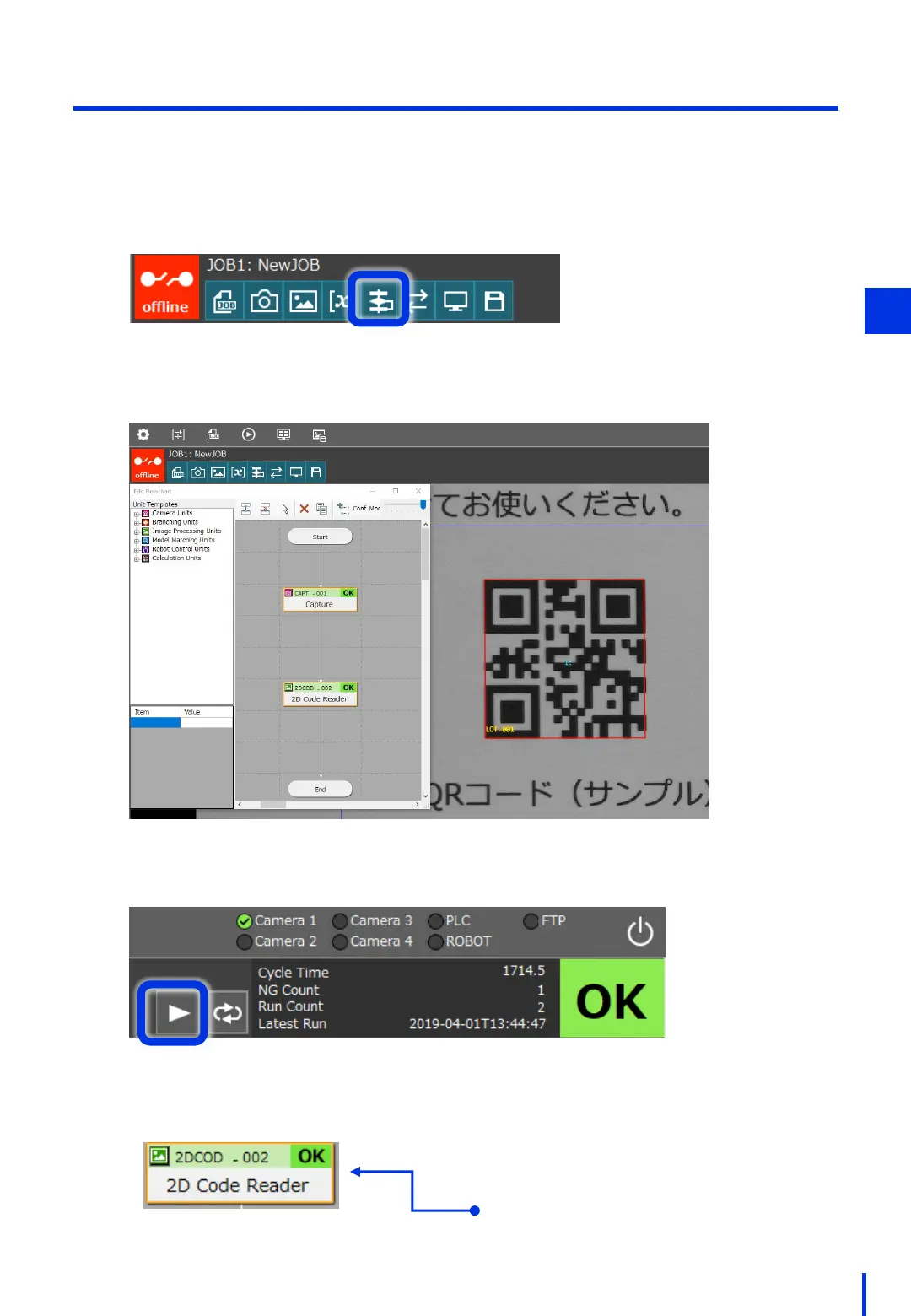
At the top of the Vision Edition main window, press [Edit Flowchart].
1
Place the flowchart so that it can be seen in full, as shown in the figure below.
Click the trigger to execute the JOB.
Judgment results are displayed for
each unit in the flowchart.
4



 To Next Page