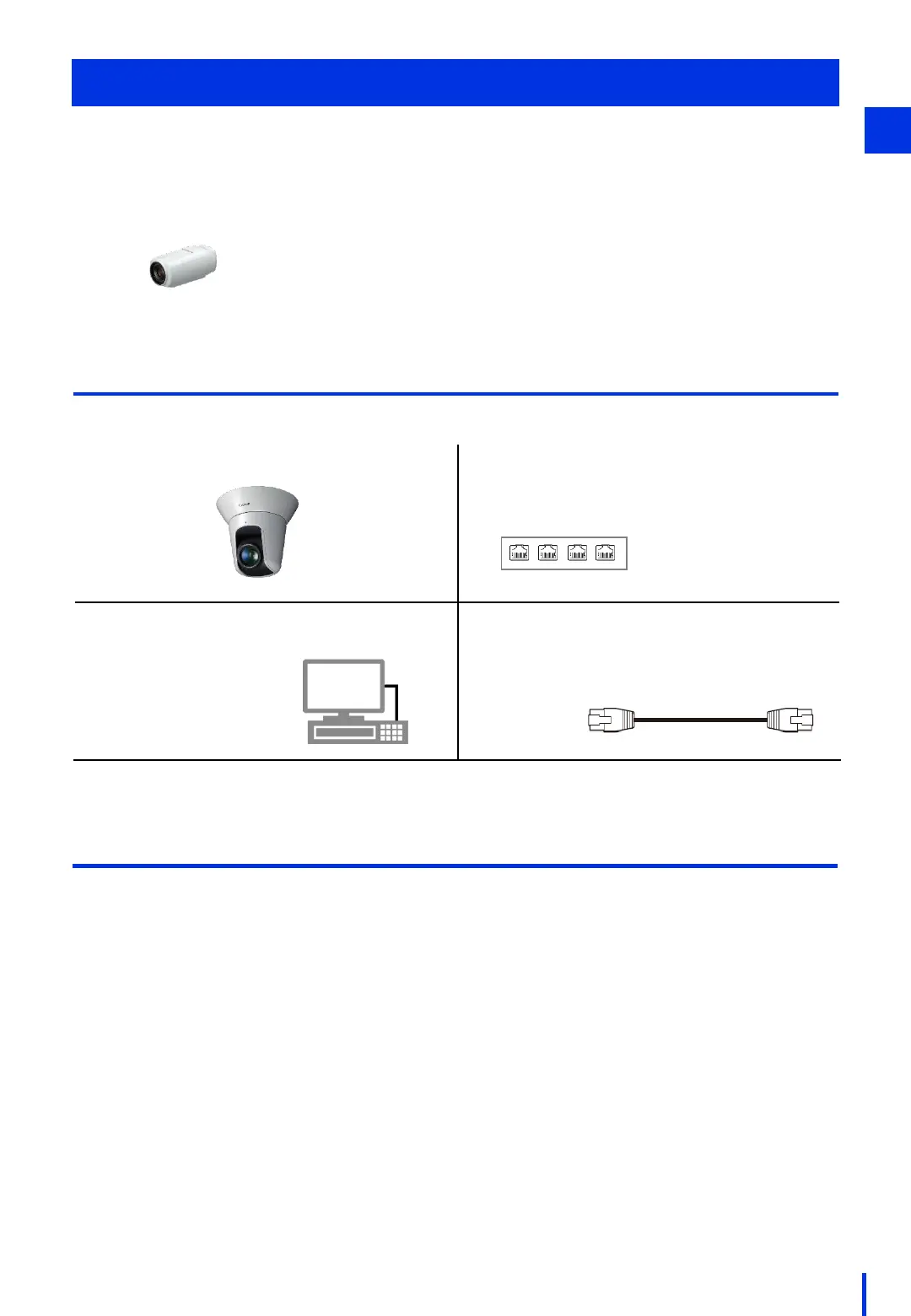
1. Network camera (VB-H45) 2. PoE Hub (no specific model)
* Power supply to camera required
* Hub with 2 or more ports required
3. Windows PC
* This manual uses windows from
Windows 7/10 in its
descriptions.
4. LAN cable (no specific model)
* Straight, Cat 6 or better recommended
* Minimum 2 cables required
Camera Settings
To use a Canon network camera with Vision Edition, you must configure the camera settings
in advance. This chapter describes the procedure for configuring the settings for a network
camera (VB-H45) that still has the factory default settings.
Required Devices
Make sure the following devices are available.
5
1
Quick Help
Case 1: I want to reset the camera to the factory default settings before configuring it.
→ "Proceed to (1) Reset the Camera to the Factory Settings".
Case 2: I want to configure a camera that has the factory default settings.
→ Proceed to "(2) Connect the Camera to a PC".
Case 3: I know the camera's administrator name and password, but I forgot the IP address.
→ Perform the steps in "(2) Connect the Camera to a PC" and "(5) Configure the PC
Network Settings", and then proceed to "(6) Reference: Using the Camera
Management Tool to Find the Camera's IP Address".
Case 4: I forgot the camera's administrator name and password.
→"Proceed to (1) Reset the camera to the factory settings".
Case 5: I know the camera's administrator name, password, and IP address.
→ Perform the steps in "(2) Connect the Camera to a PC" and "(5) Configure the PC
Network Settings", Proceed to "(7) Set the Camera's JPEG Compression Ratio".
* An industrial camera (N10-W02) can be used
immediately with the factory default settings.
Proceed to Chapter 2.



 To Next Page