(1) Connect the Camera and the Image Processing Controller
23
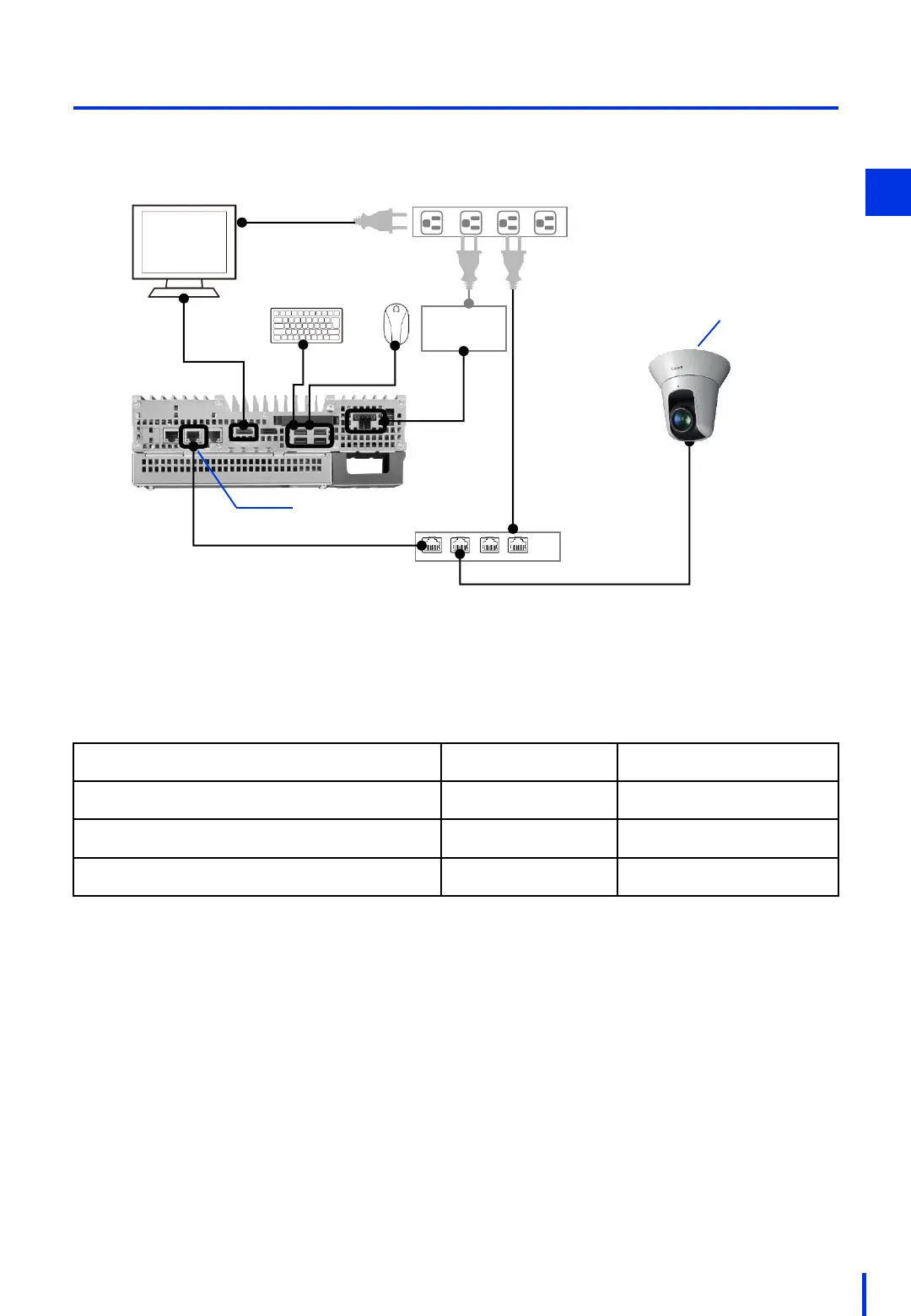
In this example, the devices are connected as shown below.
DC 24 V
power supply
PoE Hub
IP address:
192.168.0.100
IP address:
192.168.0.2
The default IP addresses for network devices are shown below. The steps described in this
manual assume that no changes are made to these IP addresses.
Network Device
IP Address Subnet Mask
Image processing controller (IPC427E)
192.168.0.100 255.255.255.0
Collaborative robot (COBOTTA)
192.168.0.1 255.255.255.0
Optional camera (N10-W02)
192.168.0.90 255.255.255.0
2



 To Next Page