33
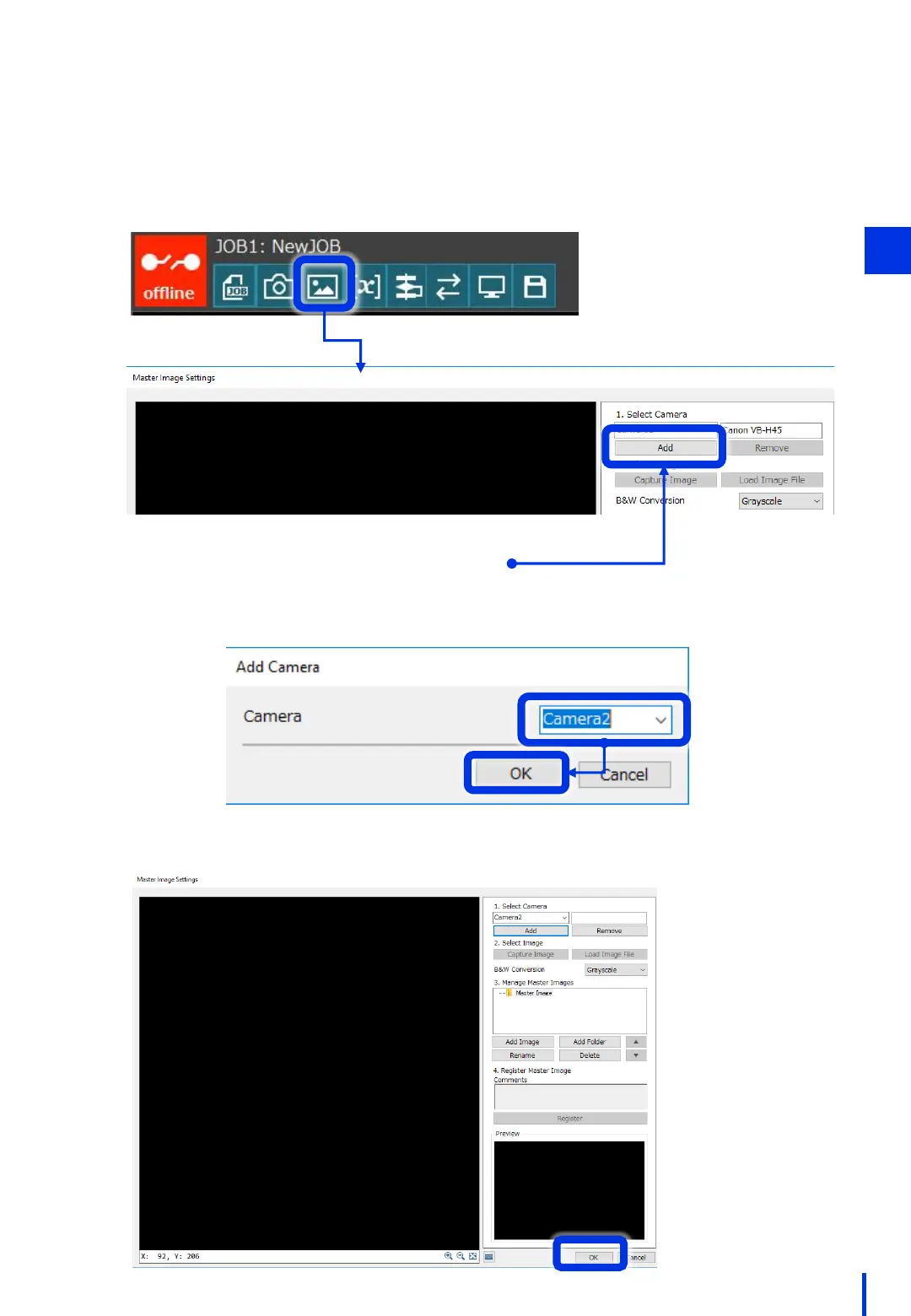
Next, register the camera on the flowchart.
(If you are connecting only 1 camera, this step can be omitted.)
Click [Master Image Settings]. Under [1. Select Camera], click [Add].
2
Click [Add].
Select the camera to add, and then click [OK].
* Camera 1 is preregistered.
Click [OK] to close the Master Image Settings window.
3



 To Next Page