35
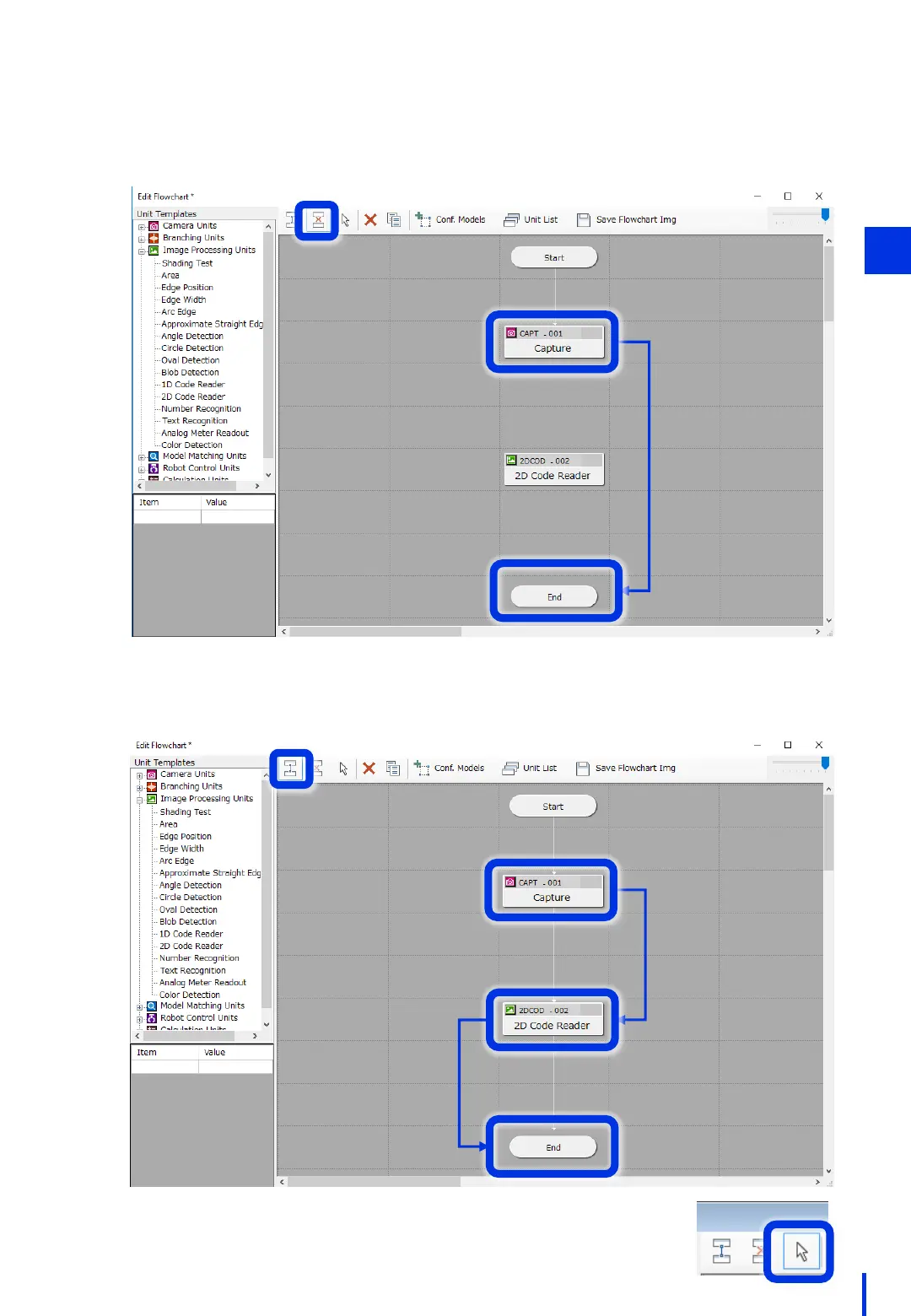
Click [Connect] at the top of the flowchart area. Click [CAPT - 001], and then click
[2DCOD - 002]. Make sure that the flow is connected. Use the same steps to connect
the [2DCOD - 002] and [End] units.
Click [Disconnect] at the top of the flowchart area. Click [CAPT - 001], and then click
[End]. Make sure that the flow is disconnected.
Finally, click [Select] at the top of the flowchart area.
(Do this to avoid inadvertently connecting/disconnecting a unit.)
3



 To Next Page