40
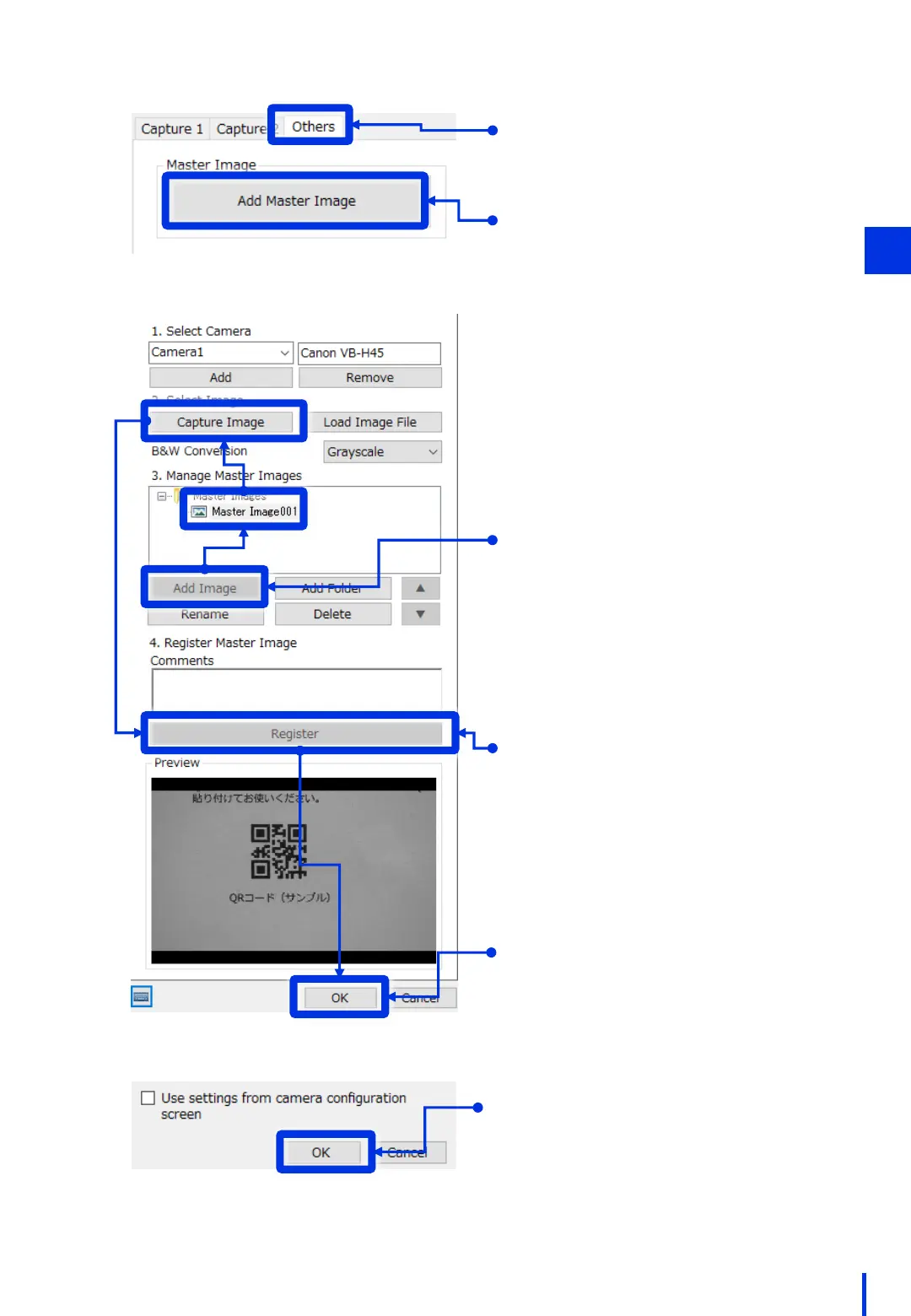
Click [Add Master Image].
Click the [Others] tab.
Click [Add Image]. Select the added
[Master Image 001], and then click
[Capture Image].
Click [Register].
A preview of the registered image is
displayed.
Click [OK] to close the Master Image
Settings window.
Click [OK] to close the window for
editing capture units.
3



 To Next Page