39
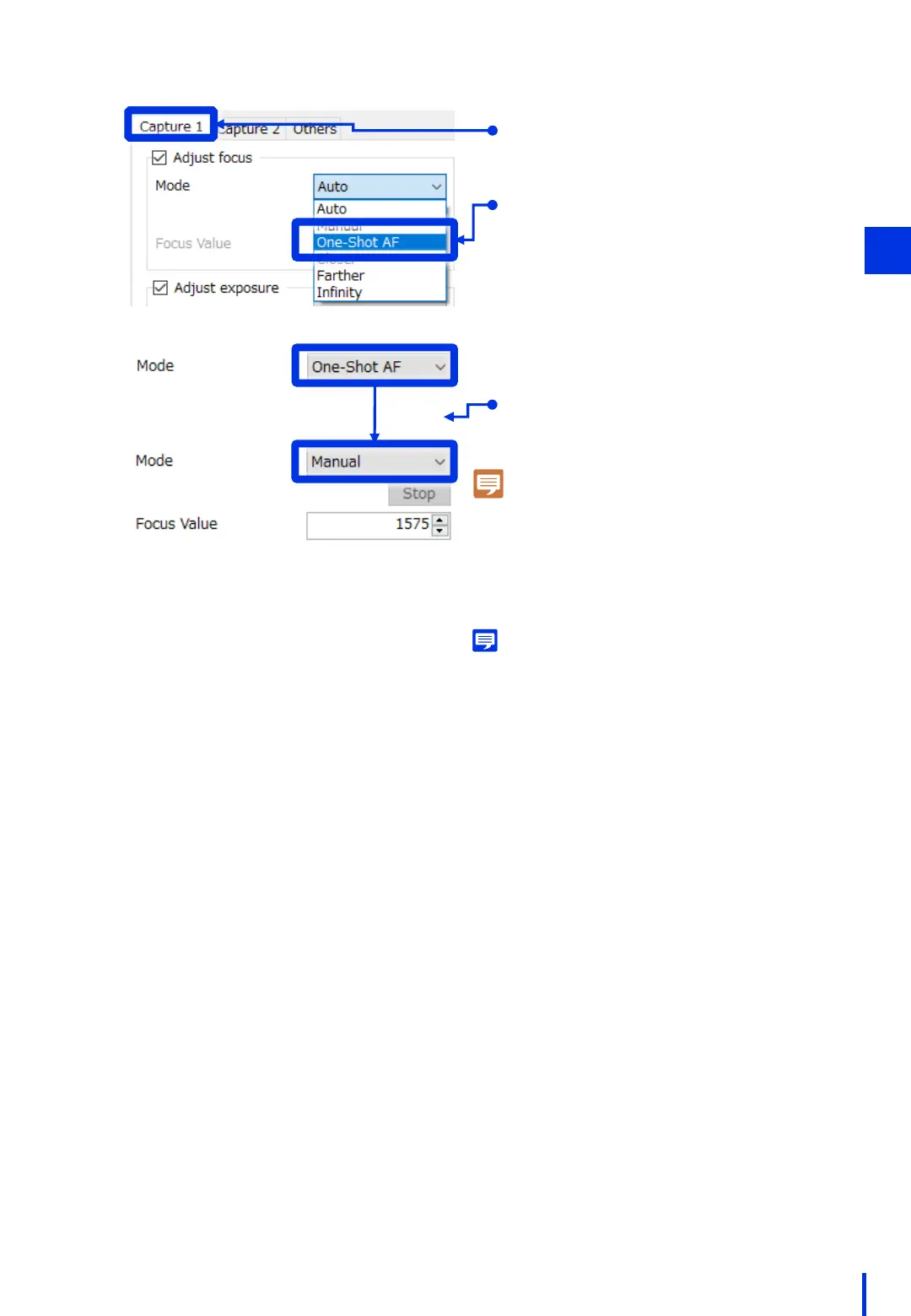
Set the focus mode to "One-Shot AF".
3
Memo
If the distance to the subject changes each time
an image is captured, select "Auto". However,
about 1 or 2 seconds is required each time auto
focus is performed. Therefore, we recommend using
"One-Shot AF" if "Auto" is not required.
Click the [Capture 1] tab.
The camera focuses automatically on
the subject in the center of the screen,
and then the mode automatically
changes to "Manual".
Note
If the mode does not change to "Manual" after
several seconds, change the setting to "Auto"
and then change it back to "One-Shot AF" once
again. If the mode still does not change
automatically to "Manual", the camera is unable
to focus. Modify the distance between the
camera and the subject.



 To Next Page