Display indications
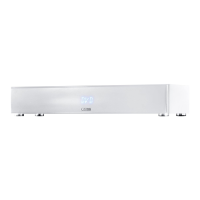
The loudspeaker has a 3-digit display which lights up for approx. five seconds when receiving a command from the remote control.
The most important readouts and their meanings are shown below:
Operation Display Meaning
Boot ON Speaker is booting
Boot NET SET Speaker ready for network connection
Boot WIF DIS Network disconnected
Boot WIF CON Network connected
Boot SSID Name of connected Network
Input BT Bluetooth® input selected
Input NET Network input selected
Input AUX Analog input selected
Sound Setting V65 Volume level is set to 65 (of max. 70)
Sound Setting - - - Speaker is muted
Sound Setting BAS Bass tone control selected
Sound Setting MID Midrange tone control selected
Sound Setting TRE Treble tone control selected
Bluetooth
®
BTP Bluetooth pairing mode is entered (Pairing)
Bluetooth
®
CON Connection established
Bluetooth
®
DIS BT enabled device disconnected
Bluetooth
®
FAI Failure occurred during pairing process
Networking CAST Usage of Chromecast built-in
Networking SPOTIFY Usage of Spotify Connect


 To Next Page
 Loading...