•
Input Select [SEL]
•
Max Volume [VOL]
•
Factory Reset [RES]
Sleep Timer [SLP]
If this function is enabled, the system shuts down to standby mode after a specified time. You can select 15, 30, 45 or 60 Minutes. If the value OFF is
selected, the function is disabled. To adjust the turn-off time, please follow the next steps:
1
To enter the menu, press and hold the input select key
" "
for at least 3 seconds.
2
Use the
"+"
or
"-" button
to navigate into the menu System Setup [SYS] and confirm with the Play/Pause button " ".
3
Select the function
Sleep timer [SLP] and confirm with the Play/Pause button " ".
4
After you press the “+” button, [OFF] appears in the display. Keep on pressing the "+” or "-" button until the display shows the
desired shutdown time.
5
Press the
input select key
" " to exit this menu item.
Note: The Sleep Timer will be disabled automatically after a shut down, which means the turn-off time must be selected after every power up sequence.
Infrared Menu [IRM]
This menu includes all functions relevant for the infrared operation of the speaker using a TV or universal remote control. It consists of three submenus:
IR Learn [IRL]
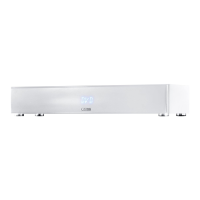
The system can learn the infrared codes of your TV/ universal remote control and therefore allows you to control the functions of the Soundbox 3
and e.g. your TV via one remote control. You can allocate any key of the TV remote control to the Soundbox 3. When choosing a key, make sure
that the instructions for the Soundbox 3 do not conflict with the TV. We recommend that you deactivate the internal loudspeakers of the TV once the
Soundbox 3 is connected.
Then you can use the volume keys for the Soundbox 3.
To learn the IR codes of a third party remote, hold the TV remote control in position and do the following steps:
1
To enter the menu, press and hold the input select key
" "
for at least 3 seconds.
2
Use the
"+"
or
"-" button
to navigate into the menu System Setup [SYS] and confirm with the Play/Pause button " ".
3
Select the item IR Menu [IRM].
4
Select the function IR Learn [IRL] function, then press Play/Pause button " ".
[
IRL] will flash in the display.
5
Press the desired function on the touch panel of the Soundbox 3, e.g “+” for Volume +. Now the function you have chosen will appear in the
display, e.g. “V+”.



 To Next Page
 Loading...