3-CONTROLSANDINSTRUMENTS
BALANCEcontrol
Toadjusttheleft-hand/right-handspeakerbalance,rst
selecttheBALANCEmodebypressingtheSELbutton
(A)untiltheBALindicationappearsontheLCDscreen
(C).
Within5sofchoosingtheBALANCEmode,turnthese-
lectionknob(B)right–hand/left-handtoadjusttheBAL-
ANCEasdesired.Thebalancepositionwillbeshown
ontheLCDscreen(C)fromBAL10L(fullleft)toBAL
10R(fullright).Whenthevolumelevelbetweenthe
left-handandtheright-handspeakersisequal,BAL
L=RwillbeshownontheLCDscreen(C).
TheLCDscreen(C)willautomaticallyreturntothenor-
malindicationin5safterthelastadjustmentorwhen
anotherfunctionisactivated.
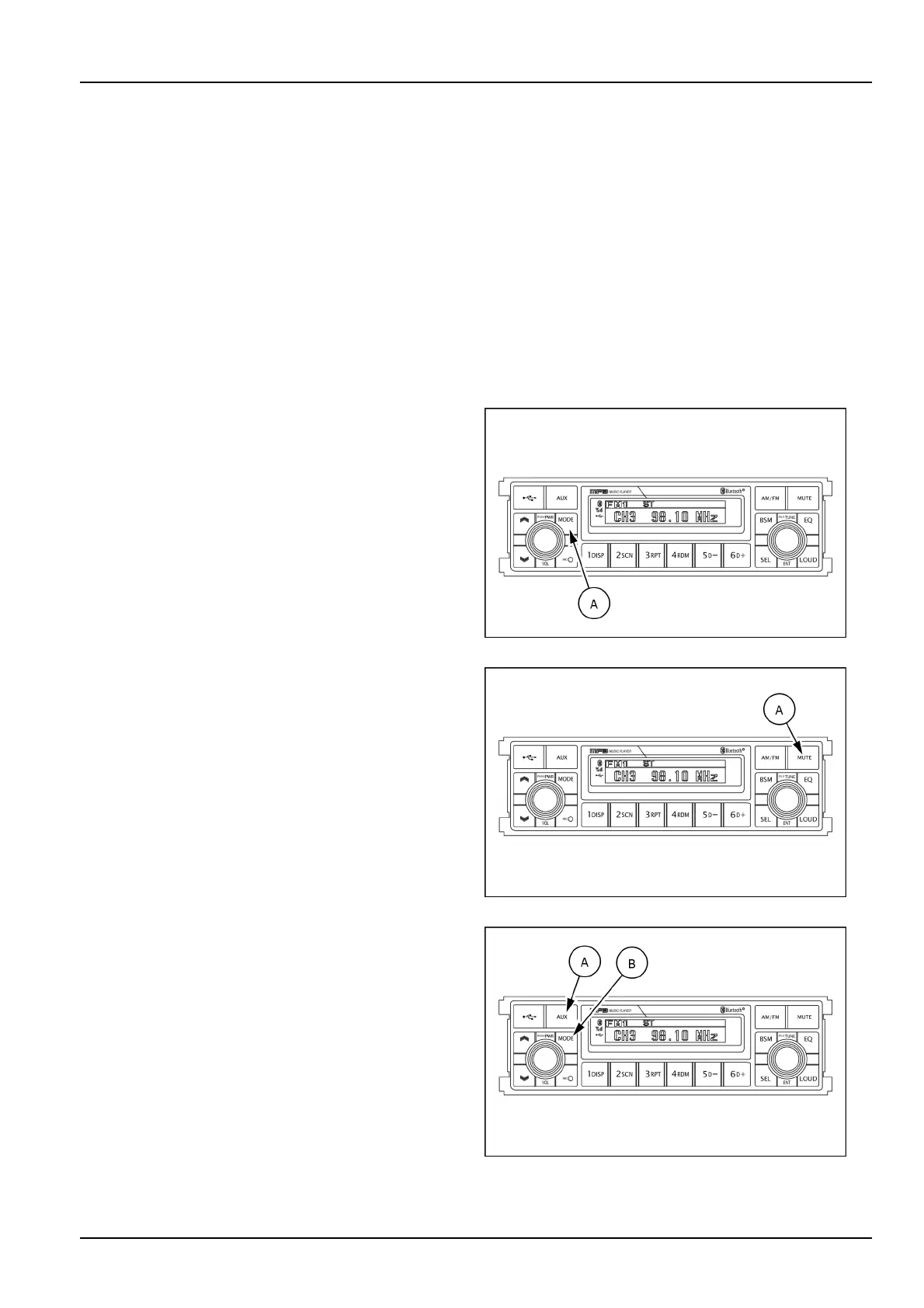
(3)Modebutton
Pressthemodebutton(A)toselectRADIO/USB/AUX
audio.
SMIL16MEX3084AA4
(4)Audiomutebutton
Presstheaudiomutebutton(A)momentarilytomutevol-
umeandMUTEmarkwillblinkontheLCDscreen.
Presstheaudiomutebutton(A)againtoreturntothe
modeinusebeforethemutemodewasactivated.
SMIL16MEX3084AA5
(10)AUXfunction
Ifyouwanttolistentomusicfromanexternalaudiode-
vice,openthecover(A)oftheAUXfunction,connectthe
externalaudiodeviceusingtheAUXcableanpushthe
MODEbutton(B)toswitchtheAUXmode.
IfanaudiolefromanexternalAudiodeviceisplaying,
themusicsoundsthroughthespeakersofthecab.
PushtheMODEbutton(B)toswitchotherradiomodes
andleavetheAUXmode.
SMIL16MEX3084AA6
3-35













 To Next Page