3-CONTROLSANDINSTRUMENTS
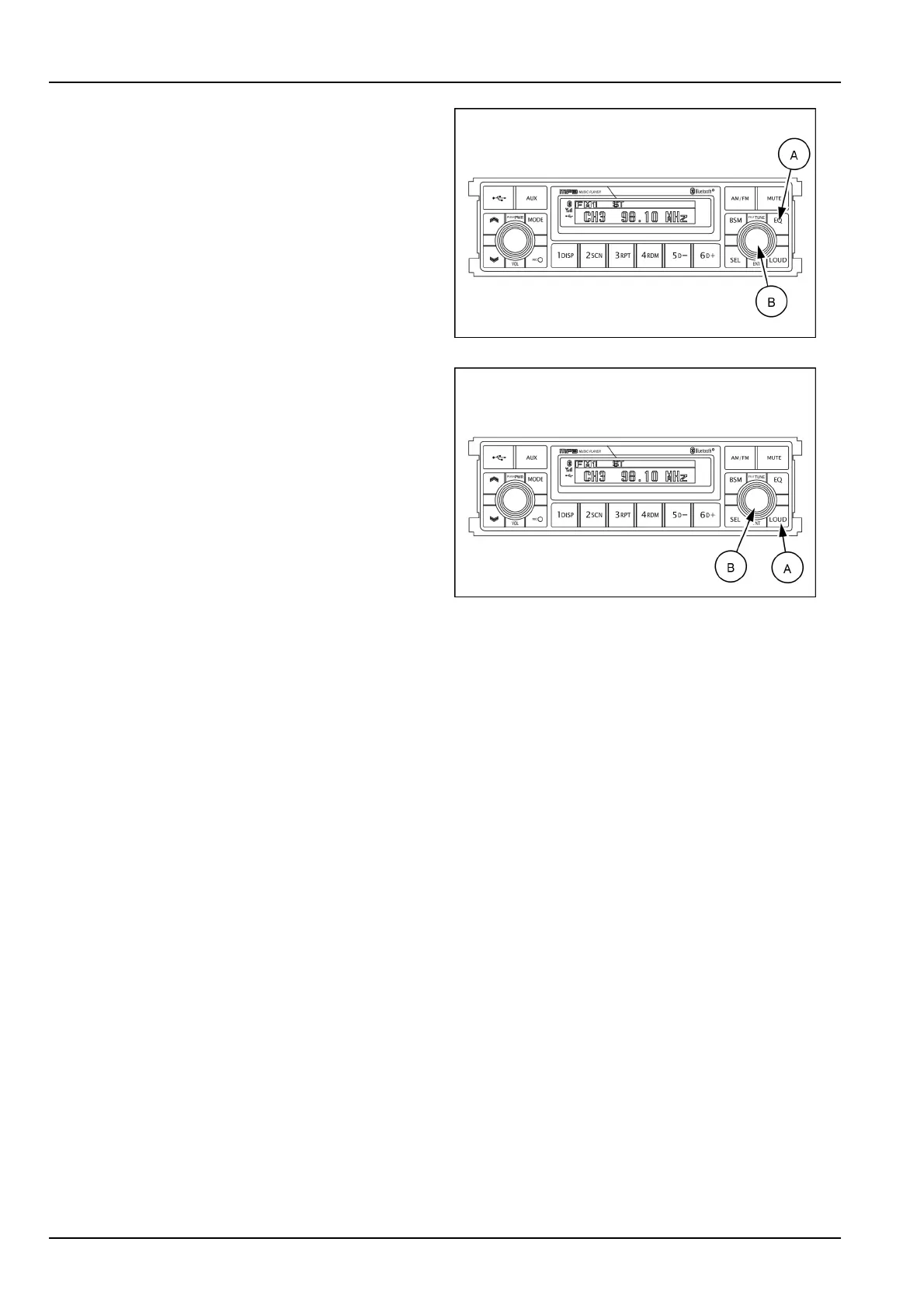
(12)Equalizer(EQ)button
Youcanselectanequalizercurvedesignedforfourmu-
sictypes(POP ,ROCK,CLASSIC,JAZZ)bypressingthe
equalizer(EQ)button(A).
Within5sofchoosingtheEQmode,turntheselection
knob(B)toselectanequalizercurveasdesired.
SMIL16MEX3084AA7
(13)Loudbutton
Whenlisteningtomusicatlowvolumelevels,thisfeature
willboostthebassandtrebleresponse.
Thisactionwillcompensateforthereductioninbassand
trebleperformanceexperiencedatlowvolume.
Toselecttheloudnessfeature,presstheloudbutton(A)
untilLOUDONorLOUDOFFisdisplayed,thenturnthe
selectionknob(B)right–hand/left-handtoactivateorde-
activateloudness.
SMIL16MEX3084AA8
3-36













 To Next Page